Personalized souvenirs
A photo.A memory to take home.
At attraction shops and venues, print designs on magnets, coins and badges. Start with the items, then choose how to make them.
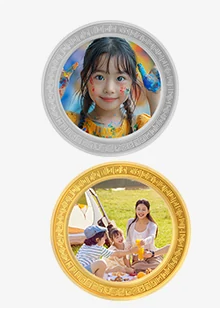
Start with the souvenir
Give visitors a keepsake they like.
Test the actual items you plan to sell. Check materials, size, holding methods and results.
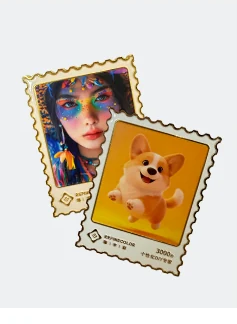
Fridge magnets
Take a favorite design home.
Souvenir coins
Keep a photo and a memory of the trip.
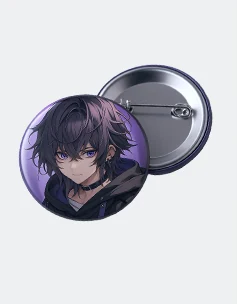
Badges
Wear your own design.
These sample references are shared by ZP1A and ZP1B. Test your own items to confirm results.
On-site workflow
Who will operate it?
Staff handle orders, loading and pickup. This is a shop workflow example; software functions depend on the setup.
- 01
Choose the item and design
Use attraction-themed artwork or a visitor’s image.
- 02
Preview, then order
Check the item, design and placement. Ordering and payment depend on the software setup.
- 03
Staff load and print
Staff hold items with suitable fixtures, confirm the order on the machine and print.
- 04
Check and hand over
Check the result and tell the visitor how to collect it.
Equipment to explore
Explore equipment for your workflow.
Start with ZP1B for staff production or Refine AI for visitor self-service.
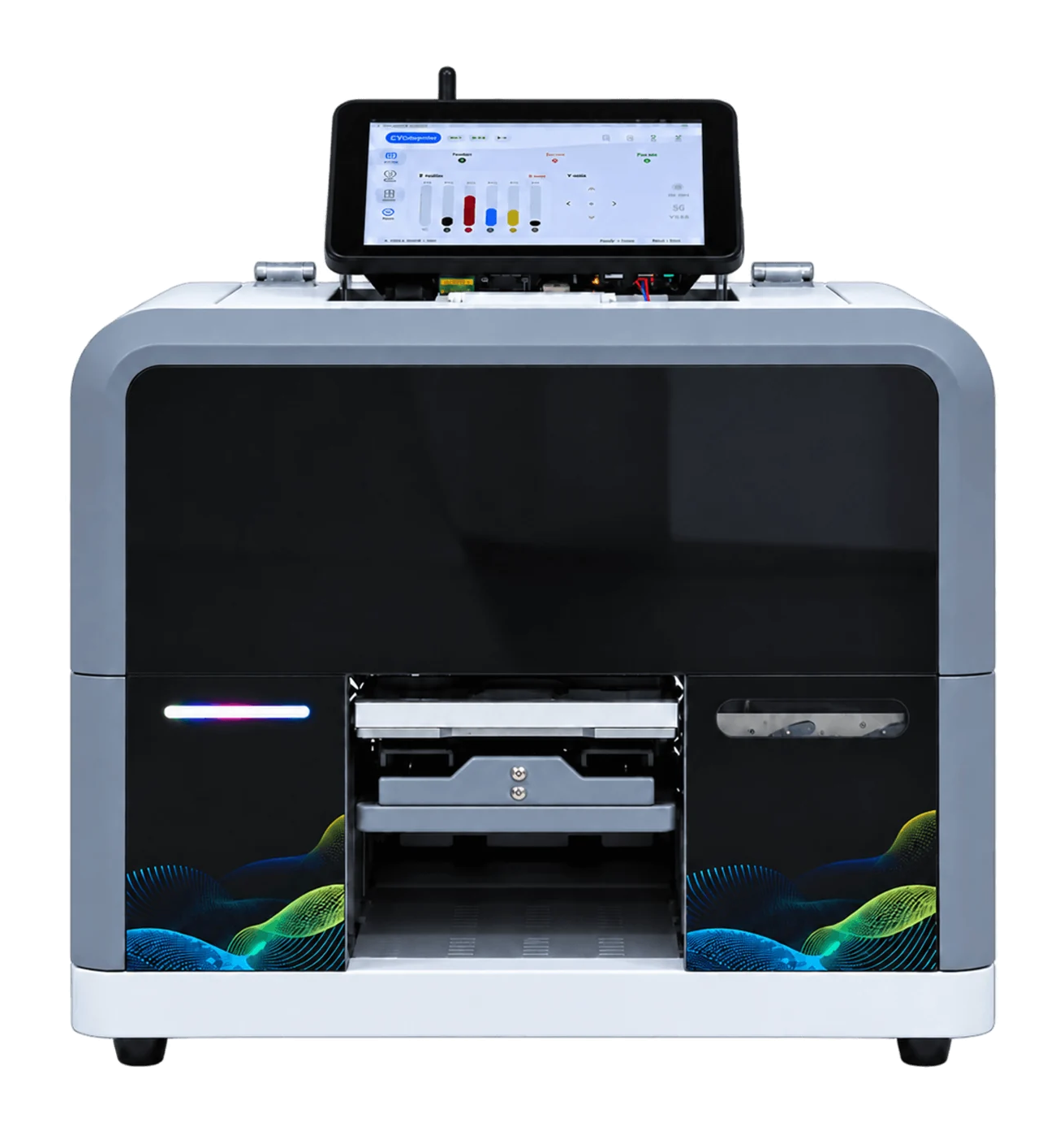
RF-ZP1B
Staff operate the machine and handle orders.
View artwork and print tasks on the touchscreen. Staff load items, confirm printing and collect the result.
Confirm fixtures, materials and ordering software for your items.
Also explore ZP1A →Before getting started
Plan these on-site details.
How long will visitors wait?
Time ordering, printing and pickup with actual items, then plan peak-time queues.
Who handles stock and maintenance?
Kiosks still need people to replenish stock, clean them and resolve issues. Assign someone to do this.
Where will it go?
Check space, power and networking, then plan operator access, visitor movement and pickup.
Marketing resources
Get materials for your own promotion.
The existing souvenir kit covers ZP1B and shared A/B samples. See the kiosk page for self-service specifications.
Souvenir marketing kit
- Machine images and sample references
- Chinese and English specifications and equipment leaflets
- Editable artwork, promotional copy and instructions
ZIP · 3.0 MB · 12 files
Download souvenir kit ↓Before publishing, add your business name, contact details and real product photos. If ZIP files do not open on your phone, preview a PDF or generate a poster.
Before contacting us
Start with these details.
- Items to offer: photos, materials and dimensions
- Artwork: attraction themes or visitor photos
- Staff production or visitor self-service
- Available space, power and network
- Expected orders and who replenishes and maintains it
Sample printing is free; customers cover shipping. Charges for special materials and custom fixtures are confirmed after assessment.
Discuss free sample printing →