RF-ZZD · Dual-head flatbed printer
RF-ZZD desktop UV printer
Print designs on phone cases, acrylic and nameplates within 320×520 mm, using color and white ink. Choose a computer and cloud-printing software as needed.
Browse all equipment →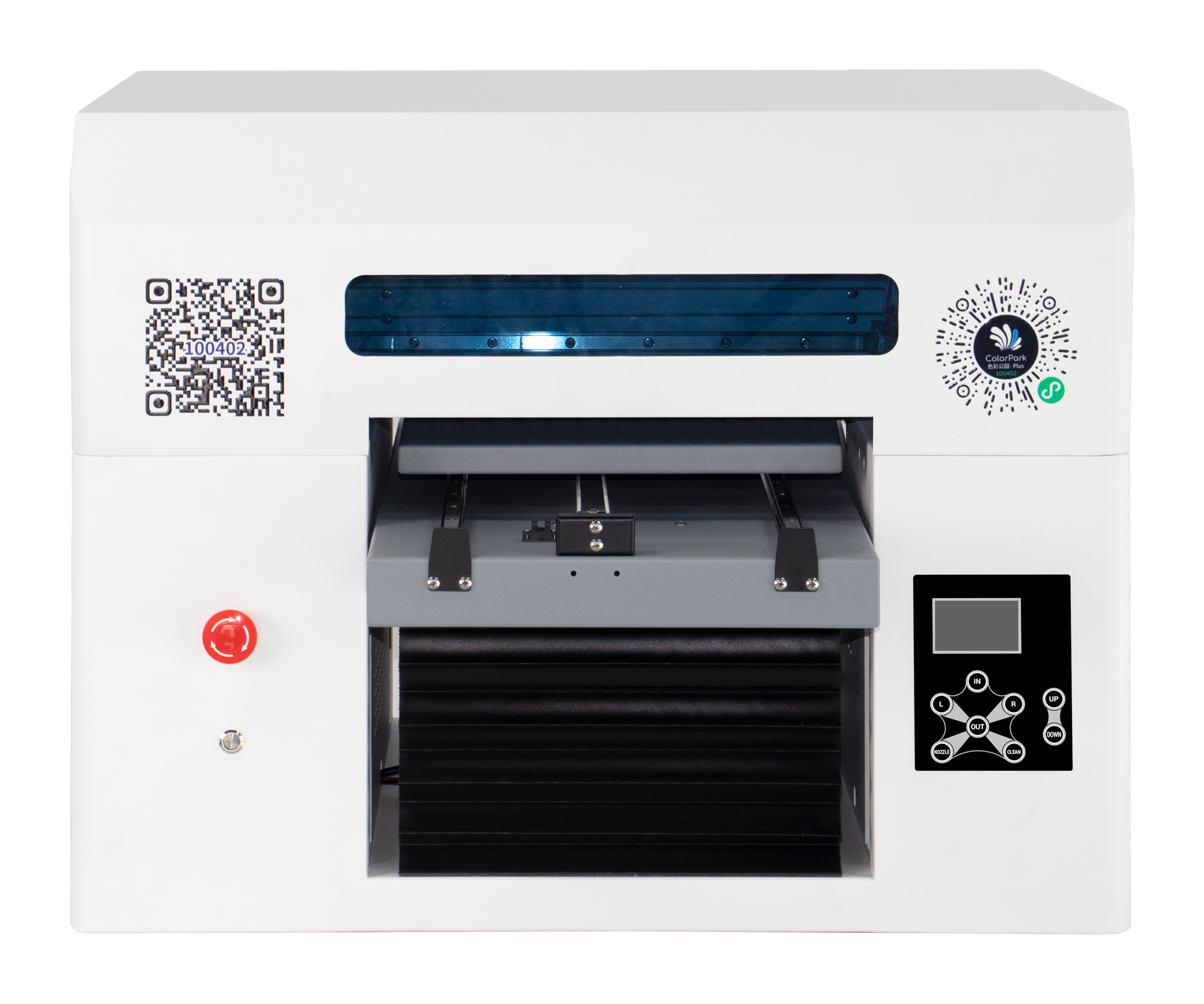
RF-ZZD · Dual-head flatbed printer
What you can print
Phone-case customization
Provide the case and design. Test printing before choosing a holding method.
Acrylic and nameplates
Print artwork, text or logos. Confirm results on your actual materials.
Separate fixture for cylinders
Cylinders need a separate dedicated holding fixture. Confirm item dimensions and artwork placement.
RF-ZZD · Dual-head flatbed printer
Machine views
View image ⤢Standard front view
Optional touch computer not installed.
RF-ZZD · Dual-head flatbed printer
Use your existing PC or add a touch computer?
The version without a computer needs an external PC. A touch computer is optional; cloud printing needs the matching software.
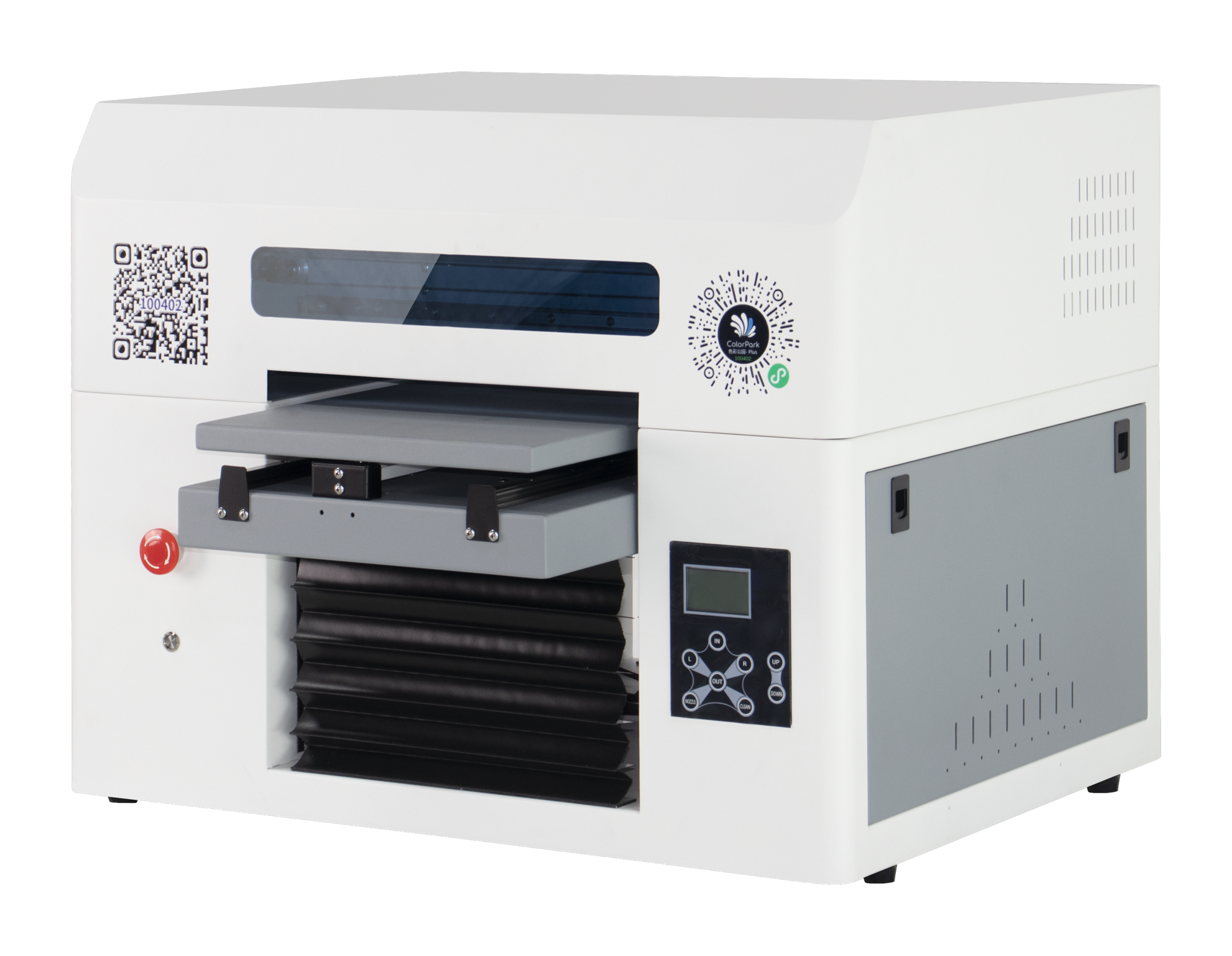
Without touch computer
Connect your external Windows PC by network cable to operate printing. Suitable if you already have a print computer.
RF-ZZD · Dual-head flatbed printer
Key specifications
- Print area
- 320×520 mm
- Media height
- 0–200 mm; confirm with the fixture
- Ink and colors
- UV ink, CMYK color + white
- Height sensing
- Infrared automatic height sensing
- Platform and holding
- No vacuum platform; fixture matched to items
- Computer and software
- Windows computer setup; optional touch computer and cloud software
- Machine size and net weight
- 765×800×620 mm; 64.5 kg
- Printhead model
- EPSON-F1080
- Printhead count
- Dual heads
- Printhead maintenance
- Automatic / manual cleaning
- Power supply
- AC 220 V / 110 V, 50–60 Hz
RF-ZZD · Dual-head flatbed printer
Load the item, sense its height and print.
Check the material, holding fixture and artwork placement first.
- 01
Prepare artwork
Check artwork and print placement on the printing computer.
- 02
Place and secure the item
Choose a holding fixture, load the item securely and check where the artwork will print.
- 03
Set height and print
Infrared automatic height sensing is included. Follow technical training.
- 04
Remove and inspect
Review color, placement and surface finish before further production.
RF-ZZD · Dual-head flatbed printer
Machine details
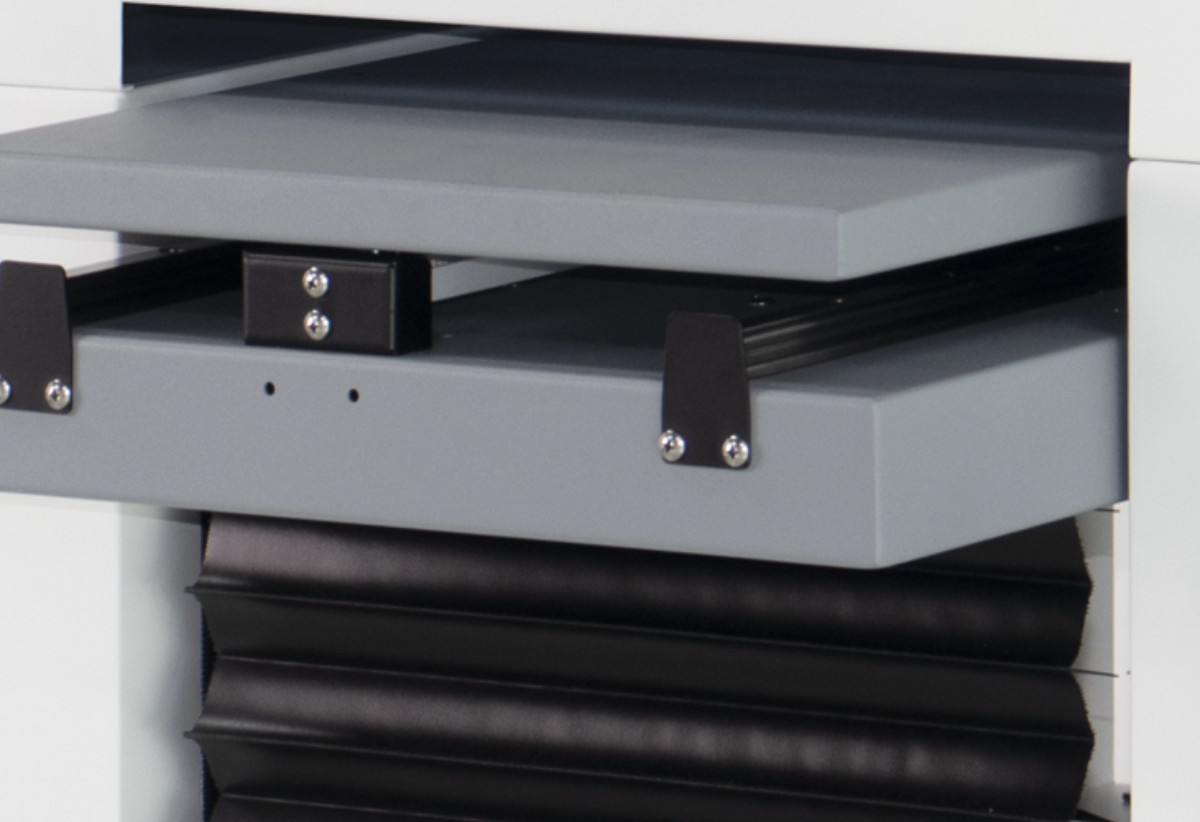
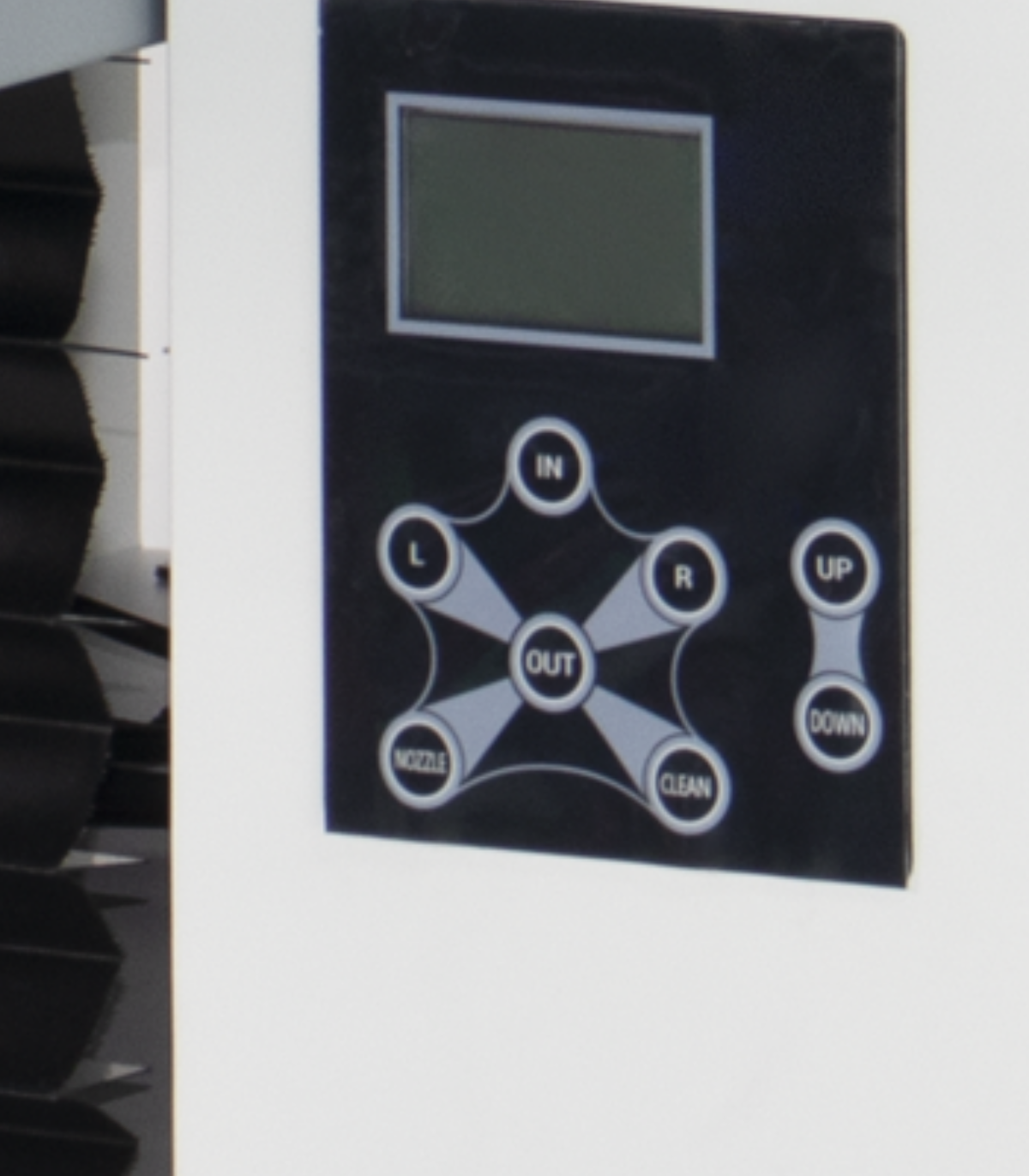
These close-ups from this machine’s photos show the holding area and controls.
 View full image ⤢
Platform and holding area
Photo close-up. Use actual items to check the holder and placement.
 View full image ⤢
Machine control panel
Photo close-up. This is the machine control panel; the optional touch computer is separate.
 View full image ⤢
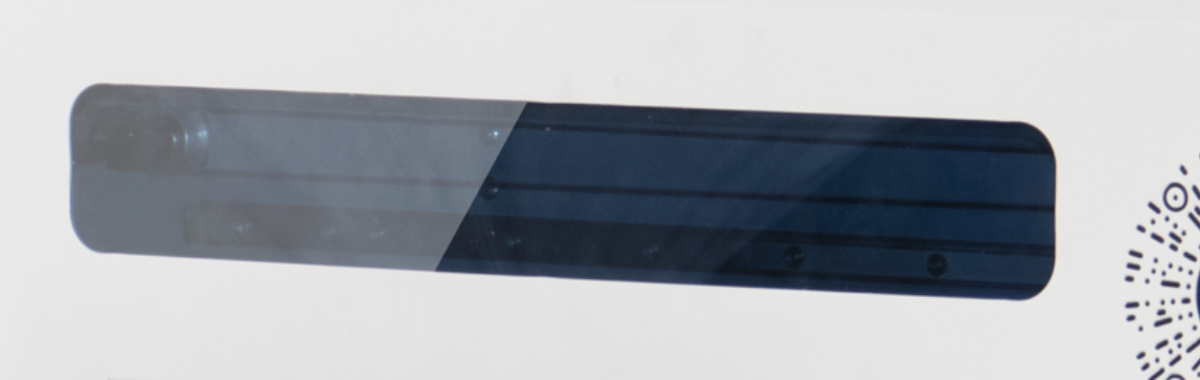
Front viewing window
Machine-photo close-up showing the front structure.
RF-ZZD · Dual-head flatbed printer
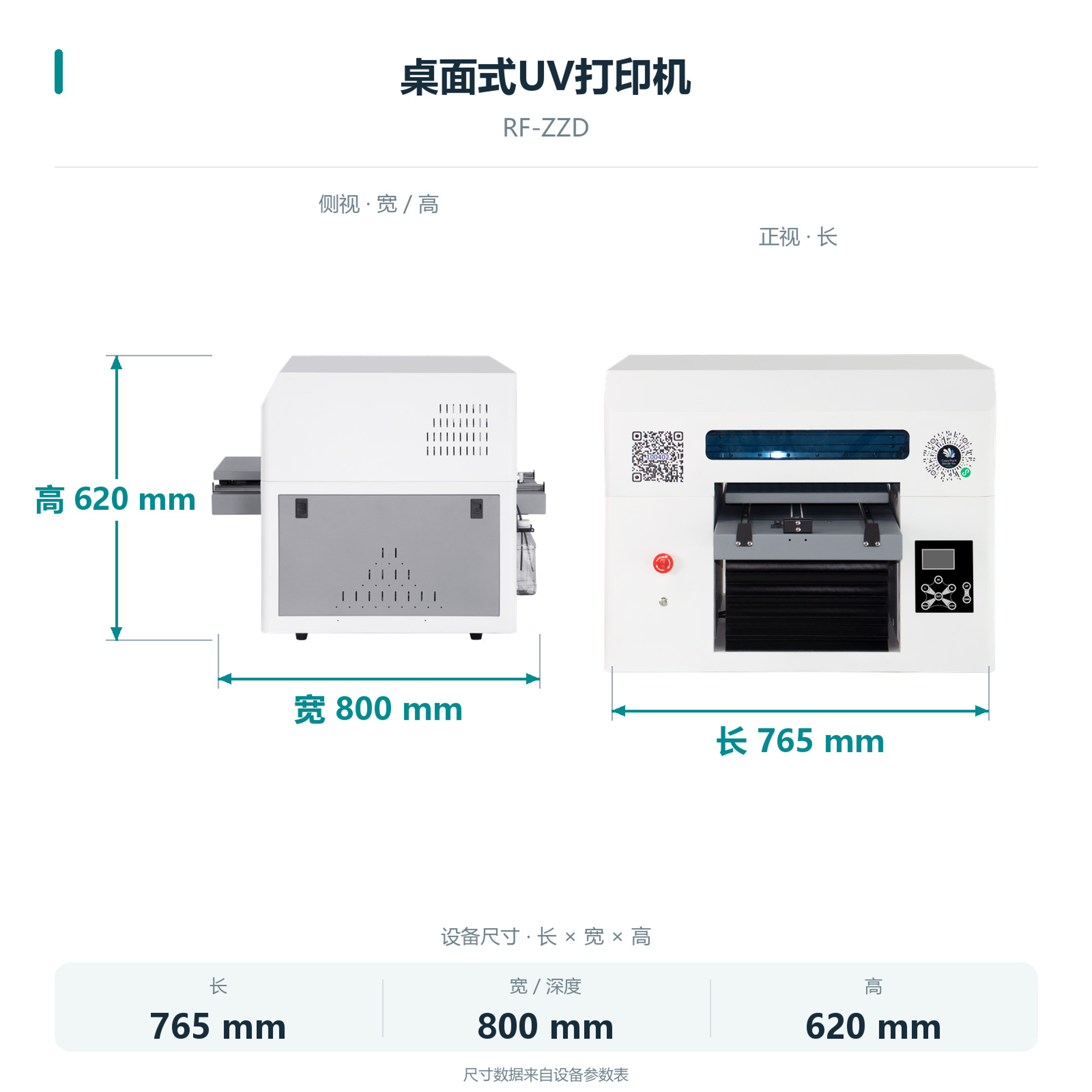
Machine dimensions
Standard body dimensions. Allow additional installation space for the optional computer.
 View full image ⤢
Machine dimensions
RF-ZZD · Dual-head flatbed printer
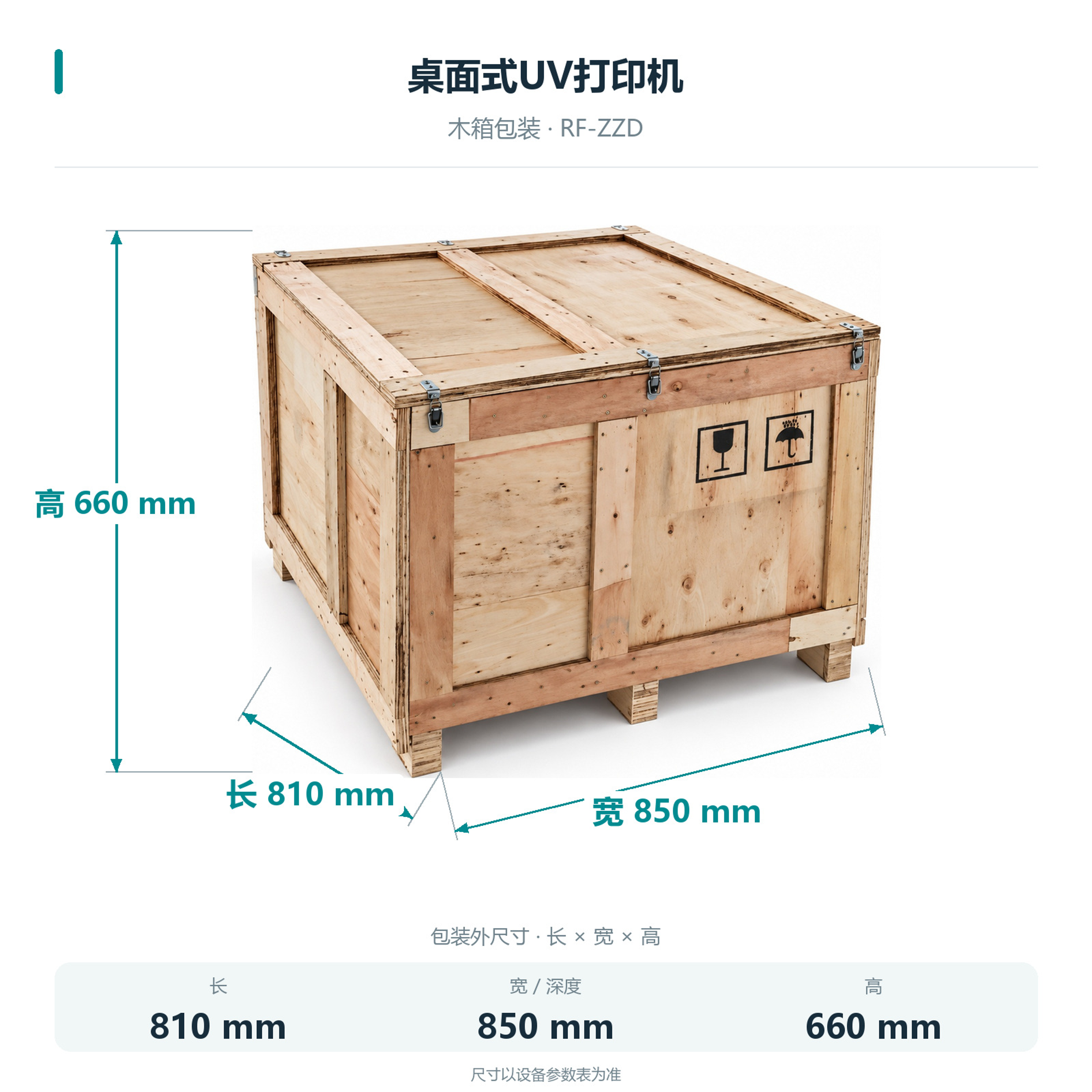
Packing dimensions
Packed dimensions: 810×850×660 mm.
 View full image ⤢
Crate dimensions
RF-ZZD · Dual-head flatbed printer
Installation
The body is 765×800×620 mm and weighs 64.5 kg. Allow room for items, computer setup and maintenance.
Computer and connection
Windows and Gigabit Ethernet. Touch computer optional.
Platform and fixtures
No vacuum platform is included. Choose a holding method for the item.
Cloud printing software
Configure the matching software for cloud printing, then agree how orders reach the machine.
RF-ZZD · Dual-head flatbed printer
Maintenance
Follow technical training for printheads and ink supply.
Cleaning and maintenance
Automatic and manual cleaning are listed. Follow training.
Pre-print checks
Check holding, artwork placement and ink condition before printing.
RF-ZZD · Dual-head flatbed printer
Free sample printing
Send item photos and artwork first. Agree on requirements before sending or bringing samples.
Free sample printing
Sample printing is free with no quantity limit. Customers cover shipping; charges for special materials and custom fixtures are confirmed after assessment.
Request free sample printing →Training and warranty details
Remote setup training is available. One-year warranty from receipt excludes printheads and consumables; customers cover warranty shipping.
View training and warranty →RF-ZZD · Dual-head flatbed printer
Training and warranty
Remote installation training is provided. Confirm on-site arrangements and fees with technical service.
One-year warranty
One year from receipt, excluding printheads and consumables. Customers cover warranty shipping.
On-site service
Customers cover service and travel costs. Technical service confirms the fees.