RF-ZZB · Custom gift and item designs
RF-ZZB desktop UV printer
Print on phone cases, acrylic and nameplates within 420×600 mm. Media height: 0–200 mm. Use an external Windows PC.
Browse all equipment →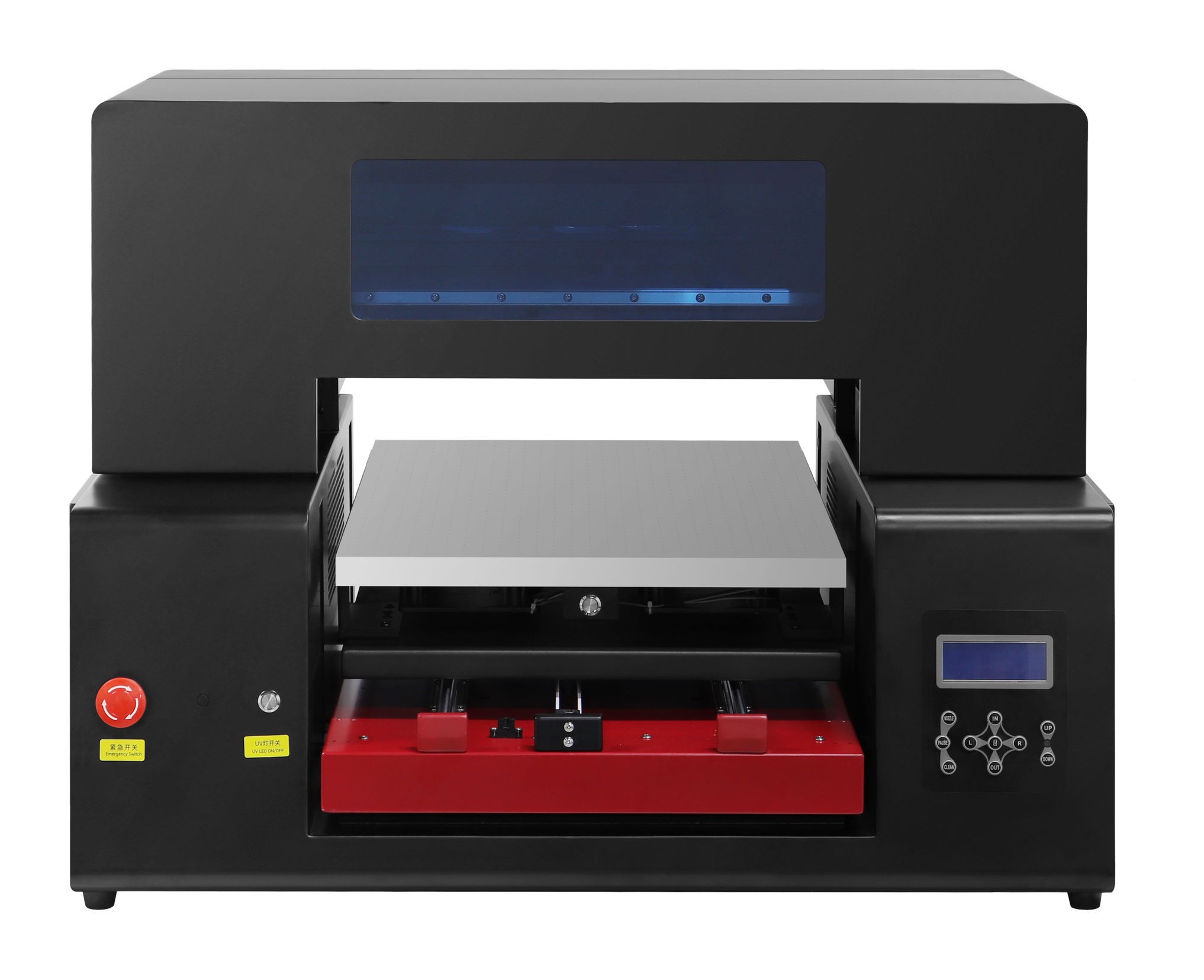
RF-ZZB · Custom gift and item designs
What you can print
Test the actual material, design size, placement and holding method first.
Phone cases and gifts
Print photos, names or event graphics. Sample the material first.
Acrylic and nameplates
Check dimensions and artwork placement, then test color and how well the print holds.
Cylindrical items
Cylinder printing supported. Confirm accessories, dimensions and placement using actual items.
RF-ZZB · Custom gift and item designs
Machine views
View image ⤢Front view
Select a view above, or open the image to see more detail.
RF-ZZB · Custom gift and item designs
Choose ink and printheads for your intended use.
Choose separate setups for ordinary items, textiles and food. Test actual items before agreeing a setup.
UV design printing
This page focuses on phone cases, acrylic and nameplates. Confirm color, white and varnish channels for the setup.
Printheads and platform
Choose F1080 / i1600 and single / dual heads for the project. Vacuum platform optional.
Textile or food use
For fabrics or food, confirm the matching ink, material and complete machine setup separately.
RF-ZZB · Custom gift and item designs
Key specifications
- Print area
- 420×600 mm
- Media height
- 0–200 mm; confirm with actual items and accessories
- Ink and effects
- Choose by use; confirm UV color, white and varnish channels separately
- Height sensing and adjustment
- Infrared-triggered automatic descent; automatic / manual adjustment
- Computer setup
- External Windows PC; Gigabit Ethernet
- Platform and accessories
- Vacuum platform optional; cylinder accessories confirmed using actual items
- Machine size and net weight
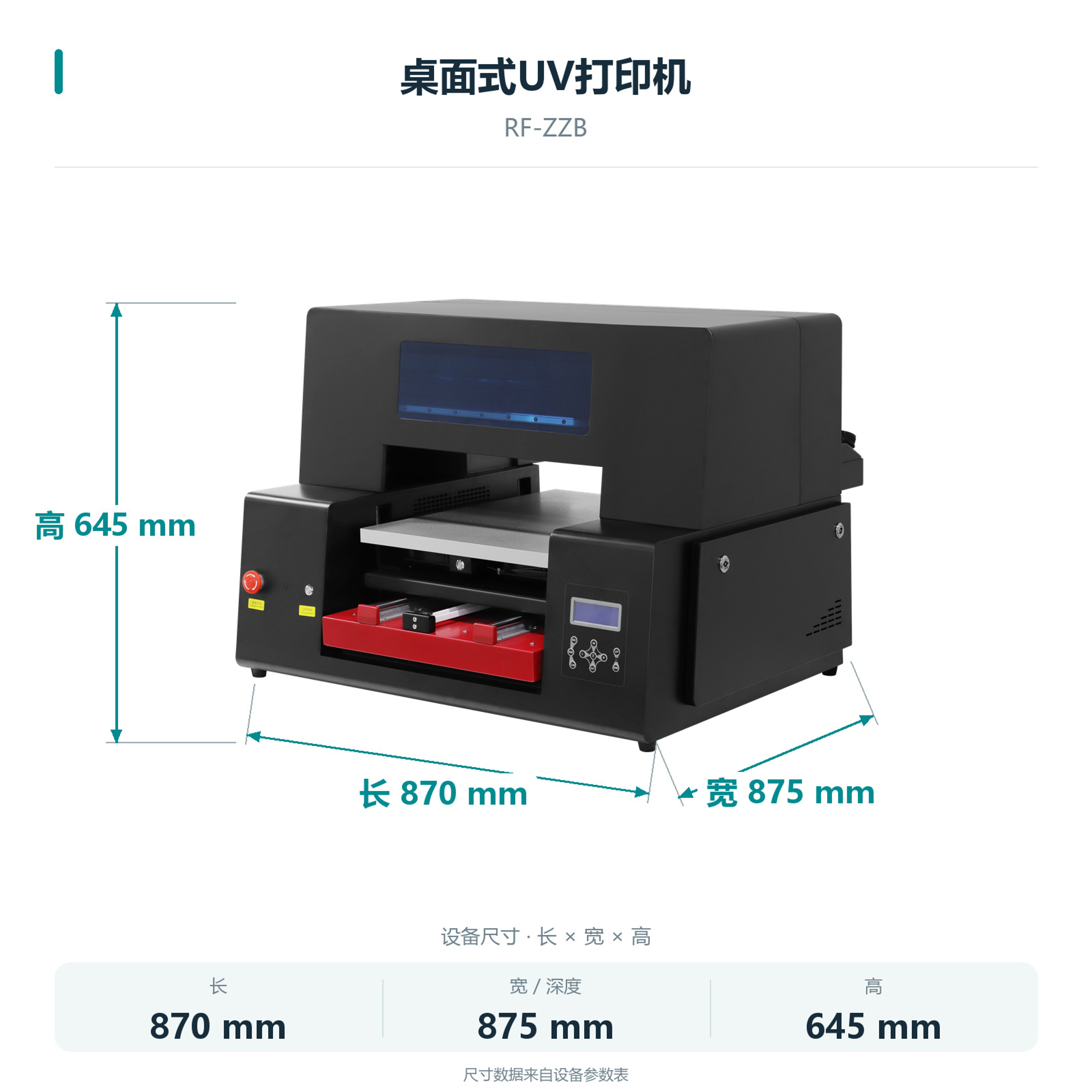
- 870×875×645 mm; 72 kg
- Printhead model
- EPSON-F1080/i1600
- Printhead count
- Single / dual heads
- Printhead maintenance
- Automatic cleaning
- Power supply
- AC 220 V / 110 V, 50–60 Hz
RF-ZZB · Custom gift and item designs
Load, check placement, then print.
Operate from an external Windows PC, with manual loading and collection. Confirm actual cylinders and accessories before printing.
01 / 05
Prepare the artwork
Prepare artwork for the item dimensions and set up the job in the print software.
RF-ZZB · Custom gift and item designs
Print artwork using an external PC.
Connect to a Windows PC via Gigabit Ethernet and use the supplied print software.
Files and print software
Use the Hoson print software and prepare TIF print files as trained.
Optional order software
Optional order-receiving software is available. Confirm which orders it can receive with technical service.
RF-ZZB · Custom gift and item designs
Machine details
Actual machine photos.
 View full image ⤢
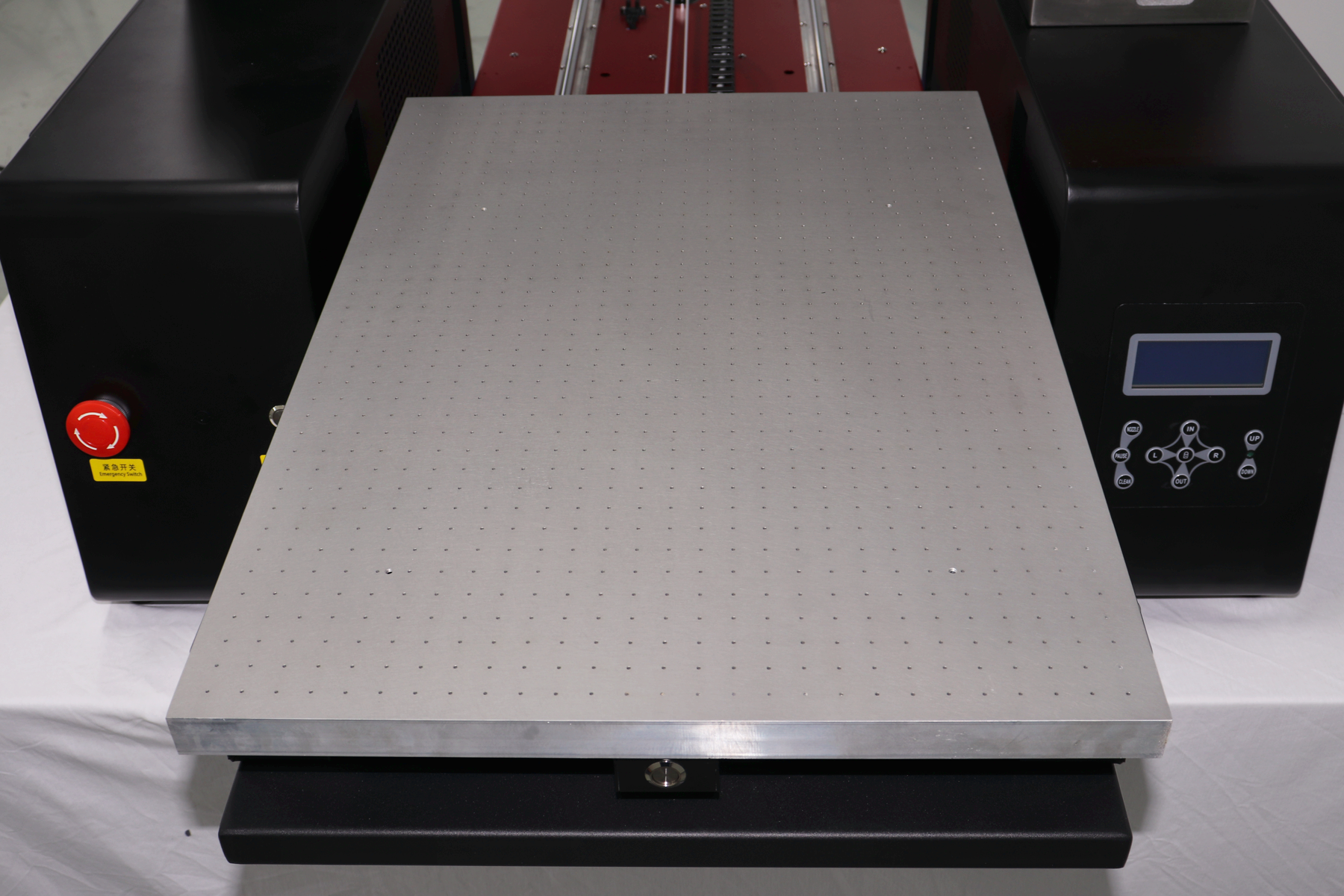
Media printing platform
Place and secure items, allowing room for platform travel.
 View full image ⤢
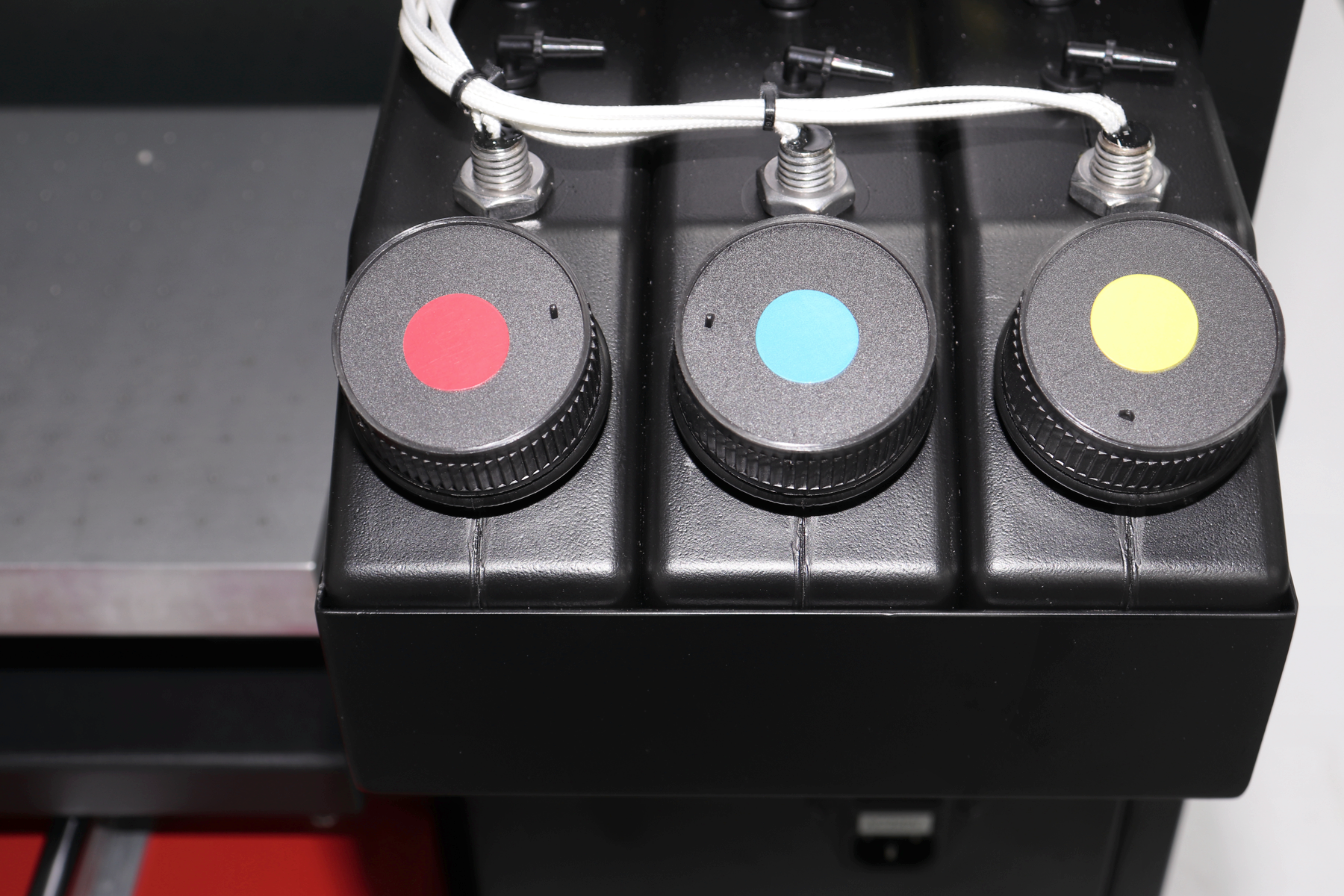
Ink bottles and lines
Use the ink specified for the setup and check supply and connections.
 View full image ⤢
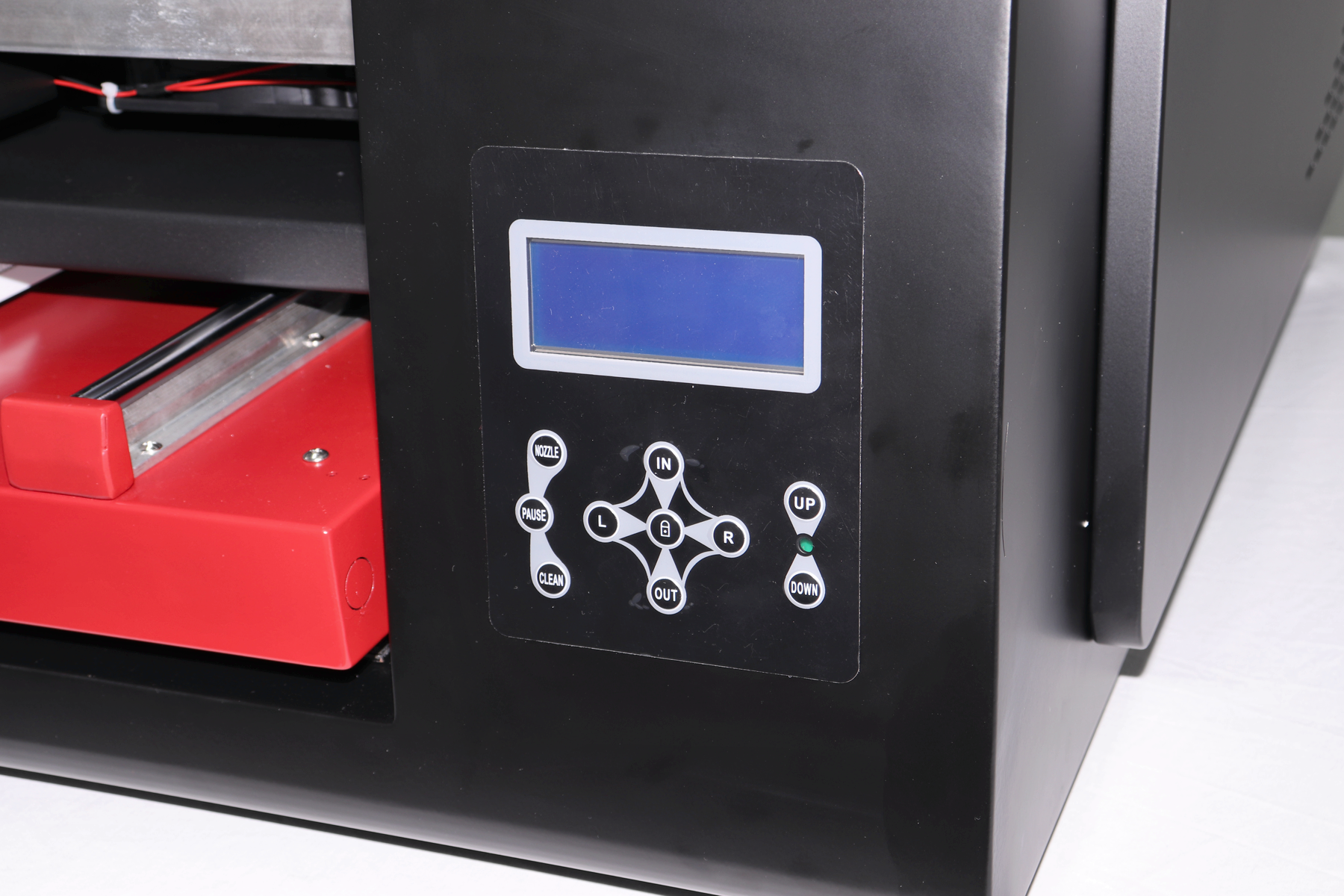
Machine control panel
Follow training for platform controls, nozzle checks and cleaning.
 View full image ⤢
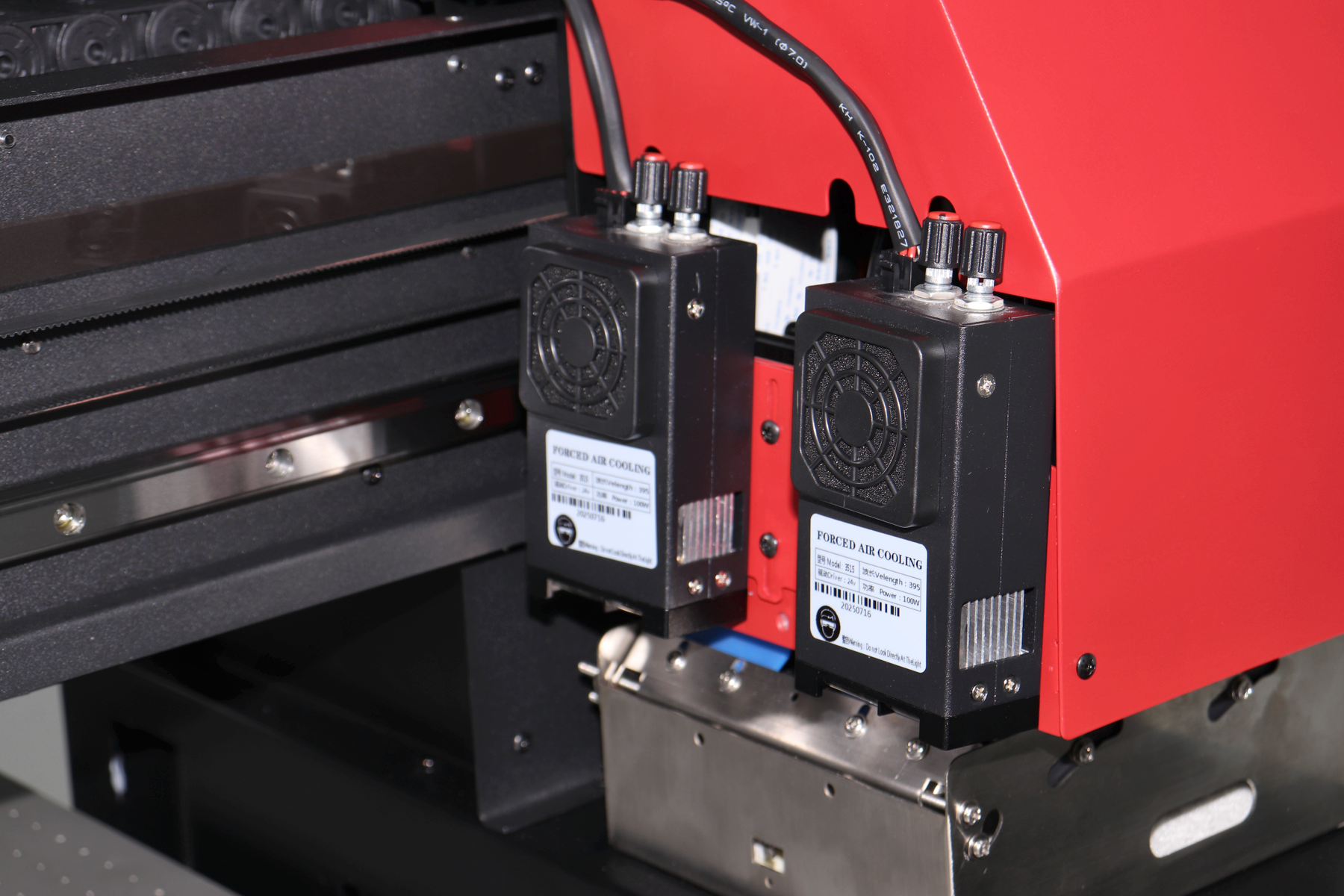
Printhead carriage
Actual carriage photo. Confirm head count and model for the chosen setup.
 View full image ⤢
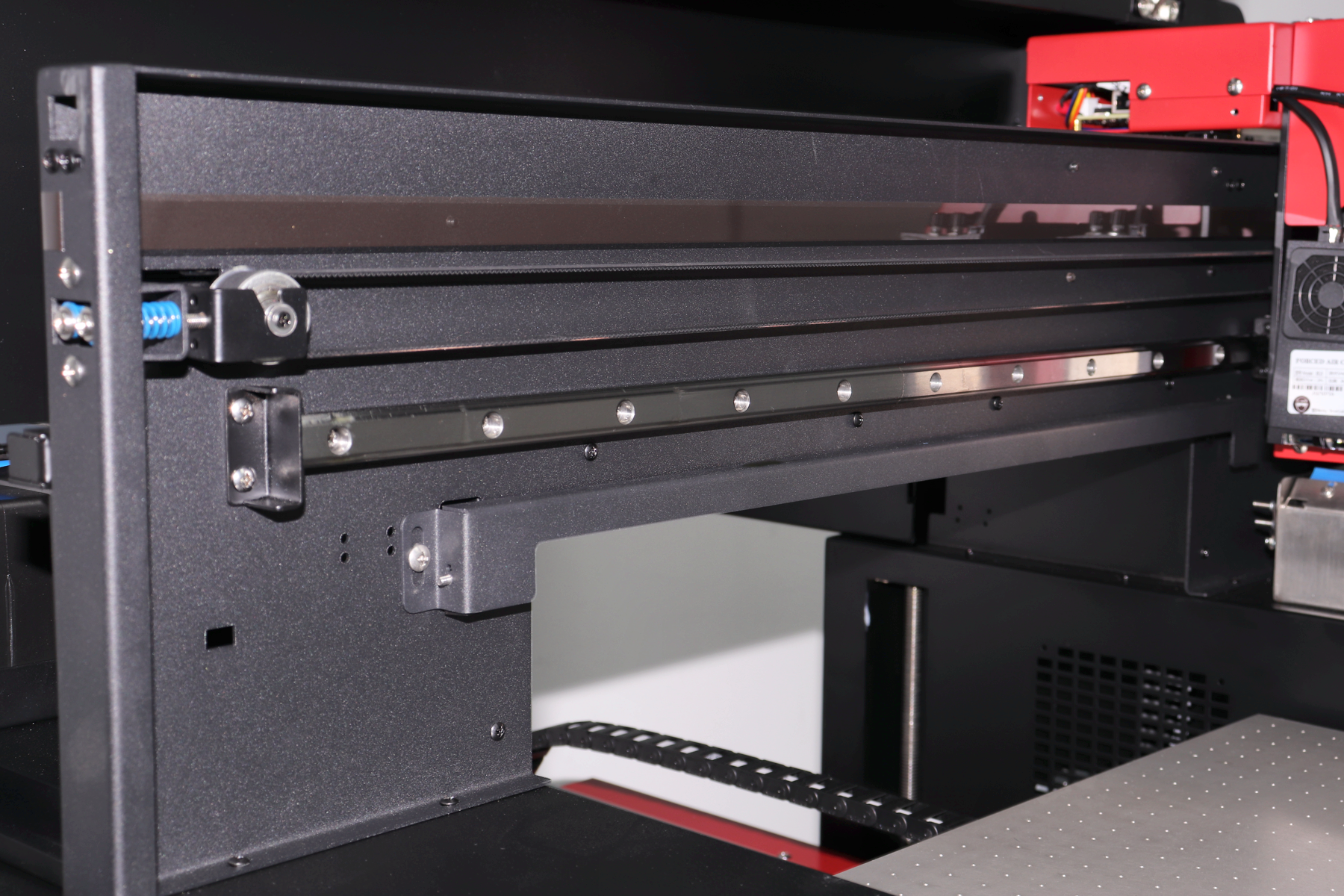
Rail and drive structure
Follow technician guidance for maintenance.
 View full image ⤢
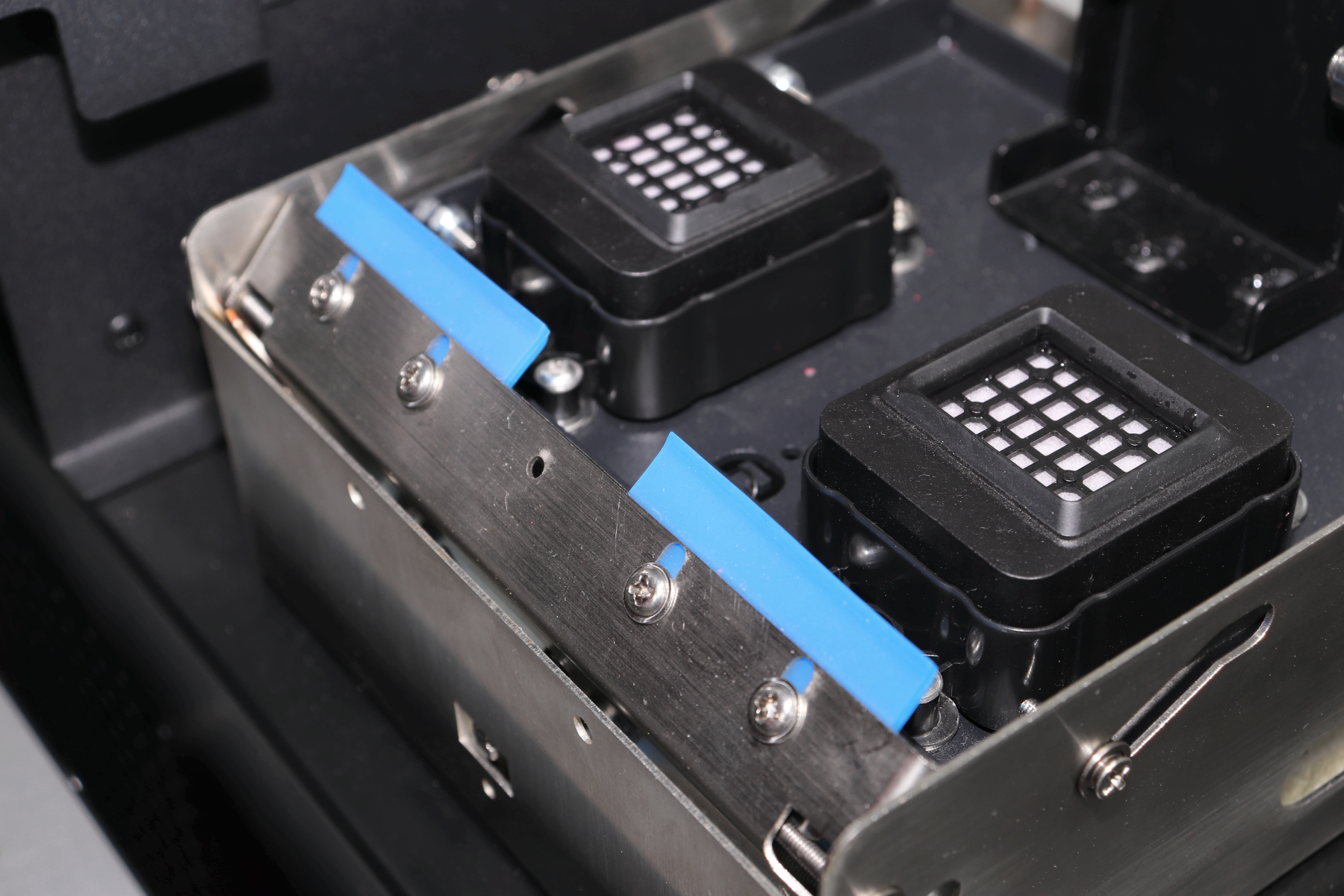
Printhead maintenance area
Automatic cleaning supported. Follow maintenance training.
 View full image ⤢
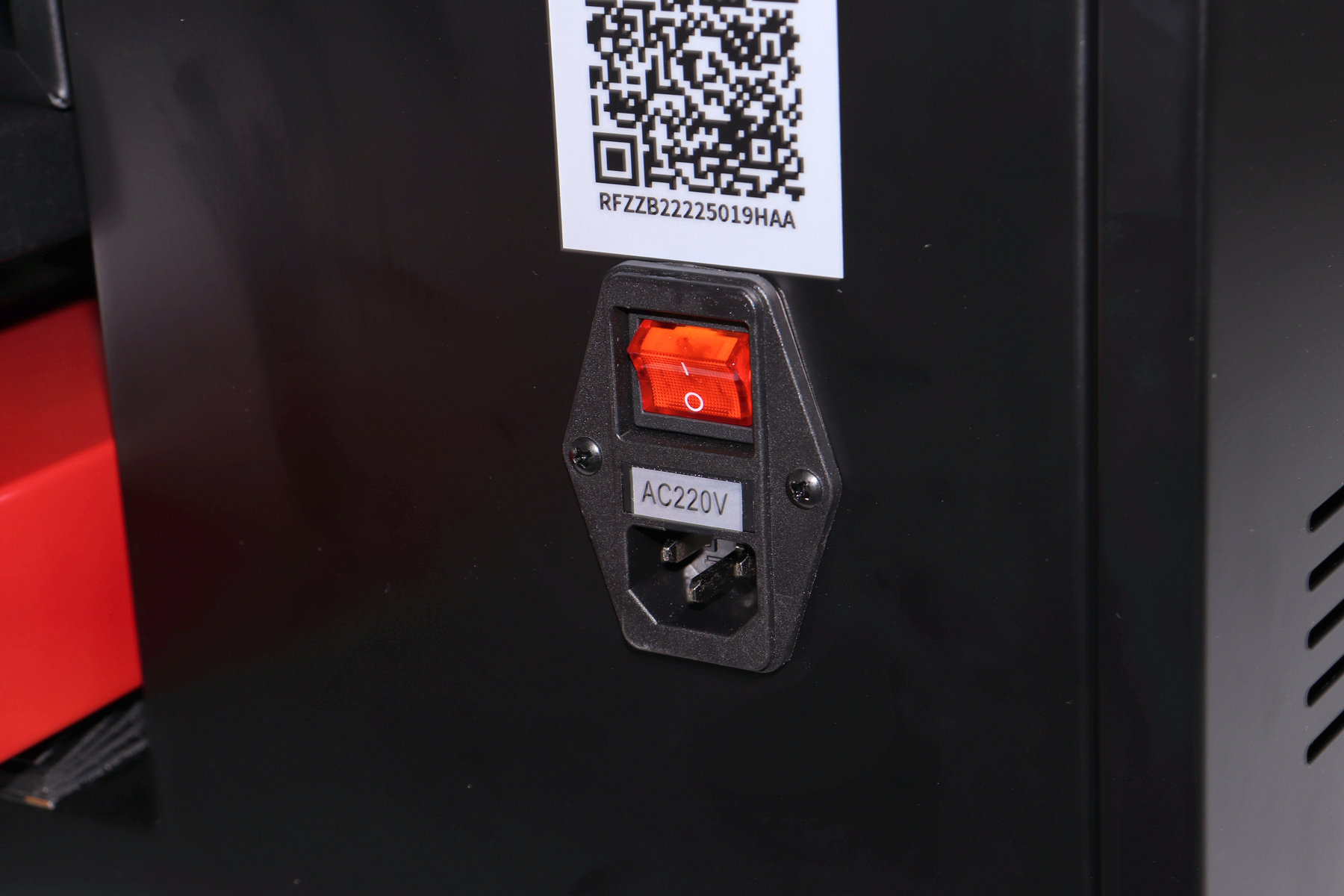
Power inlet and switch
Use the correct power supply and follow installation training.
 View full image ⤢
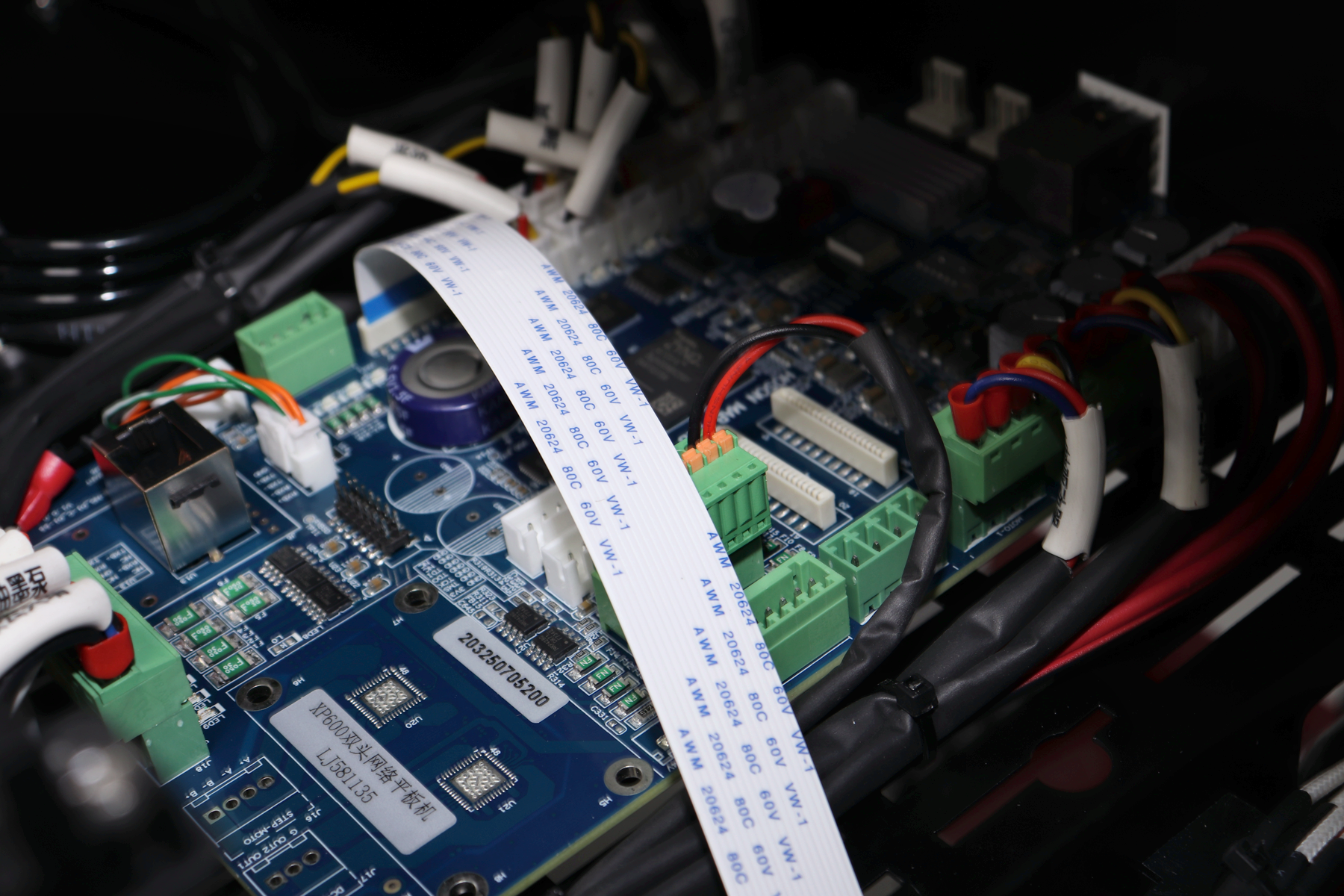
Internal control electronics
Contact technical service for internal checks and repairs.
RF-ZZB · Custom gift and item designs
Machine dimensions
 View full image ⤢
Machine dimensions
RF-ZZB · Custom gift and item designs
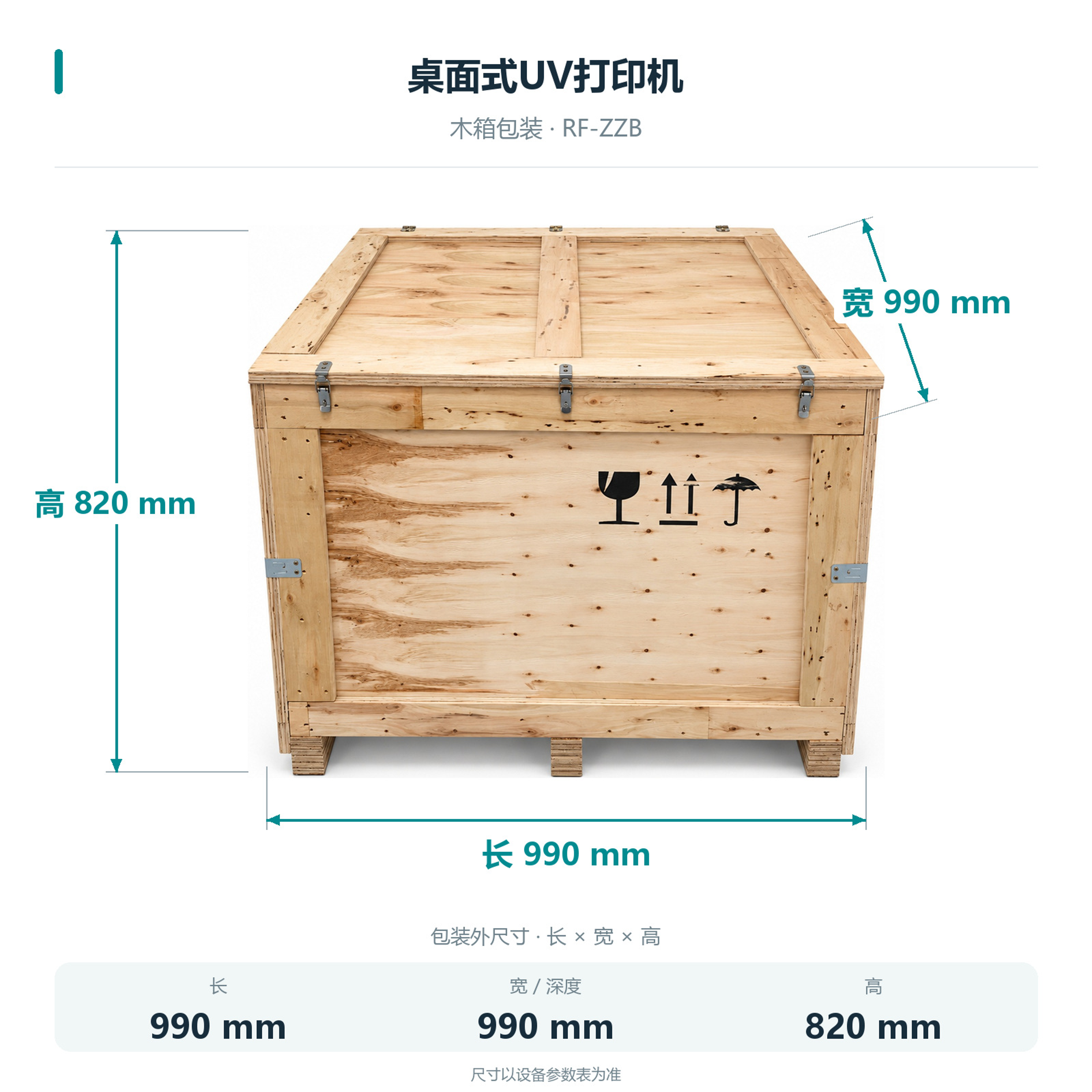
Packing dimensions
Wooden crate: 990×990×820 mm. Check handling and access space in advance.
 View full image ⤢
Crate dimensions
RF-ZZB · Custom gift and item designs
Installation
The machine is 870×875×645 mm and weighs 72 kg. Allow room for the PC, loading and maintenance.
Computer and connection
External Windows PC with Gigabit Ethernet.
Platform and accessories
Vacuum platform optional. Confirm holding methods and cylinder accessories using actual items.
Installation training
Remote training provided. Check platform travel and maintenance space first.
RF-ZZB · Custom gift and item designs
Maintenance
Automatic cleaning supported. Follow technical training for the printhead, ink supply and platform.
Nozzle checks and cleaning
Check nozzles before printing and use cleaning functions as trained.
Media and ink-supply checks
Check holding, height, ink and connections.
RF-ZZB · Custom gift and item designs
Free sample printing
Send item photos and artwork first. Agree on requirements before sending or bringing samples.
Free sample printing
Sample printing is free with no quantity limit. Customers cover shipping; charges for special materials and custom fixtures are confirmed after assessment.
Request free sample printing →Training and warranty details
Remote setup training is available. One-year warranty from receipt excludes printheads and consumables; customers cover warranty shipping.
View training and warranty →RF-ZZB · Custom gift and item designs
Training and warranty
Remote installation training is provided. Confirm on-site arrangements and fees with technical service.
One-year warranty
One year from receipt, excluding printheads and consumables. Customers cover warranty shipping.
On-site service
Customers cover service and travel costs. Technical service confirms the fees.