RF-ZZE · Phone cases, acrylic and nameplates
RF-ZZE smart UV printer
Print designs on phone cases, acrylic and nameplates within 310×500 mm using UV color and white ink. Choose a computer and mobile customization software as needed.
Browse all equipment →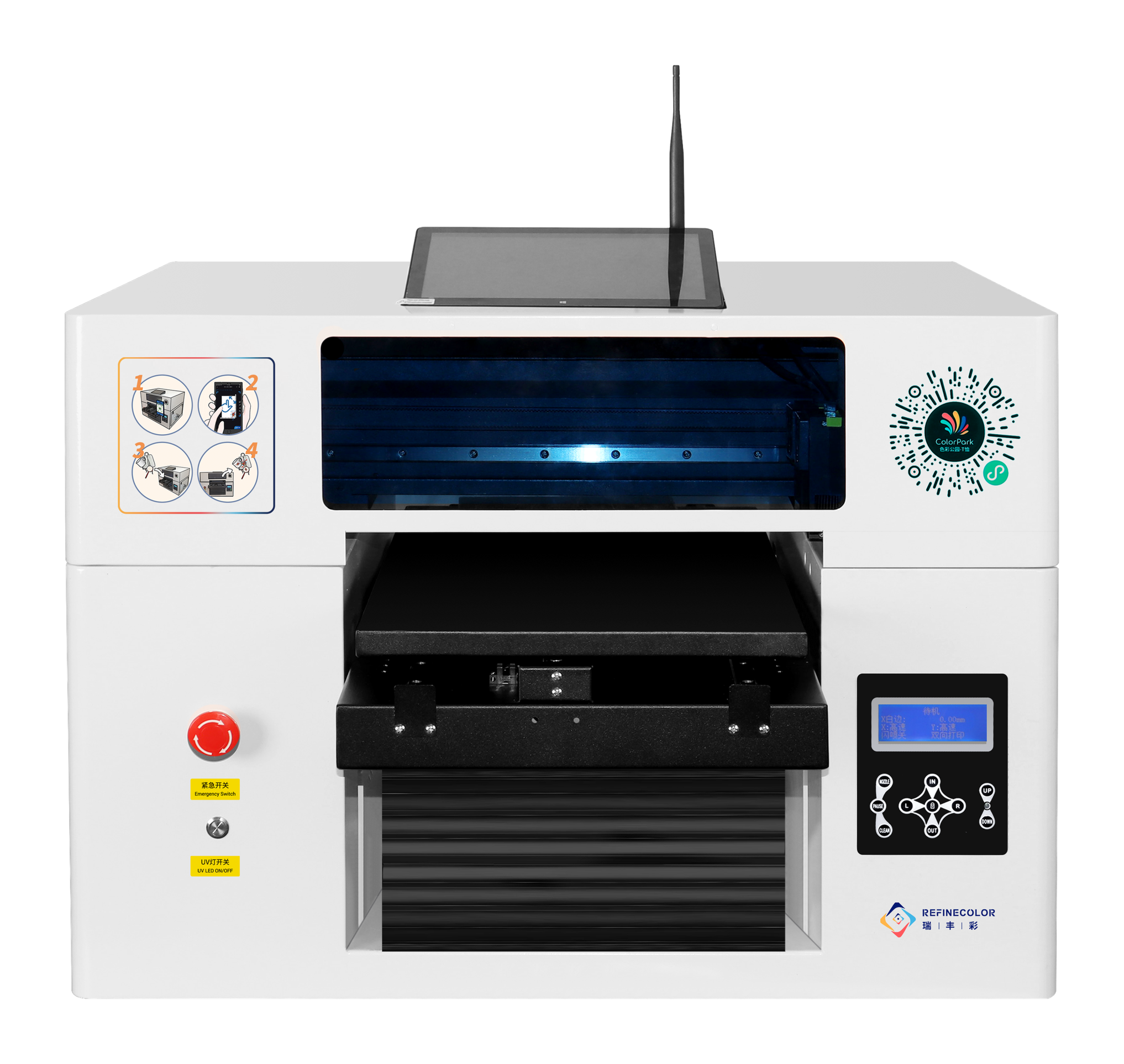
RF-ZZE · Phone cases, acrylic and nameplates
What you can print
Phone-case customization
Match artwork size, placement and holding to the actual phone case.
Gifts and product graphics
Print designs on acrylic panels, nameplates and other items. Test the material first.
Separate fixture for cylinders
Cylinders need a separate dedicated holding fixture. Confirm dimensions and artwork placement.
RF-ZZE · Phone cases, acrylic and nameplates
Machine views
View image ⤢Front view
Select a view above, or open the image to see more detail.
RF-ZZE · Phone cases, acrylic and nameplates
Use your existing PC or add a touch computer?
The version without a computer needs an external Windows PC. A 10.1-inch touch computer is optional. Mobile customization needs matching software.
Without built-in computer
Connect an external Windows PC by network cable to operate printing.
Optional touch computer
Add an optional 10.1-inch touch computer; configure mobile customization software for your needs.
RF-ZZE · Phone cases, acrylic and nameplates
Key specifications
- Print area
- 310×500 mm
- Media height
- 0–200 mm; confirm with items and fixtures
- Ink and colors
- UV ink: CMYK color + white
- Height sensing and adjustment
- Infrared-triggered automatic descent; automatic / manual adjustment
- Computer and ordering
- External Windows PC / optional 10.1-inch touch computer; H5 software configured as needed
- Platform and fixtures
- Vacuum platform optional; dedicated cylinder fixture required
- Machine size and net weight
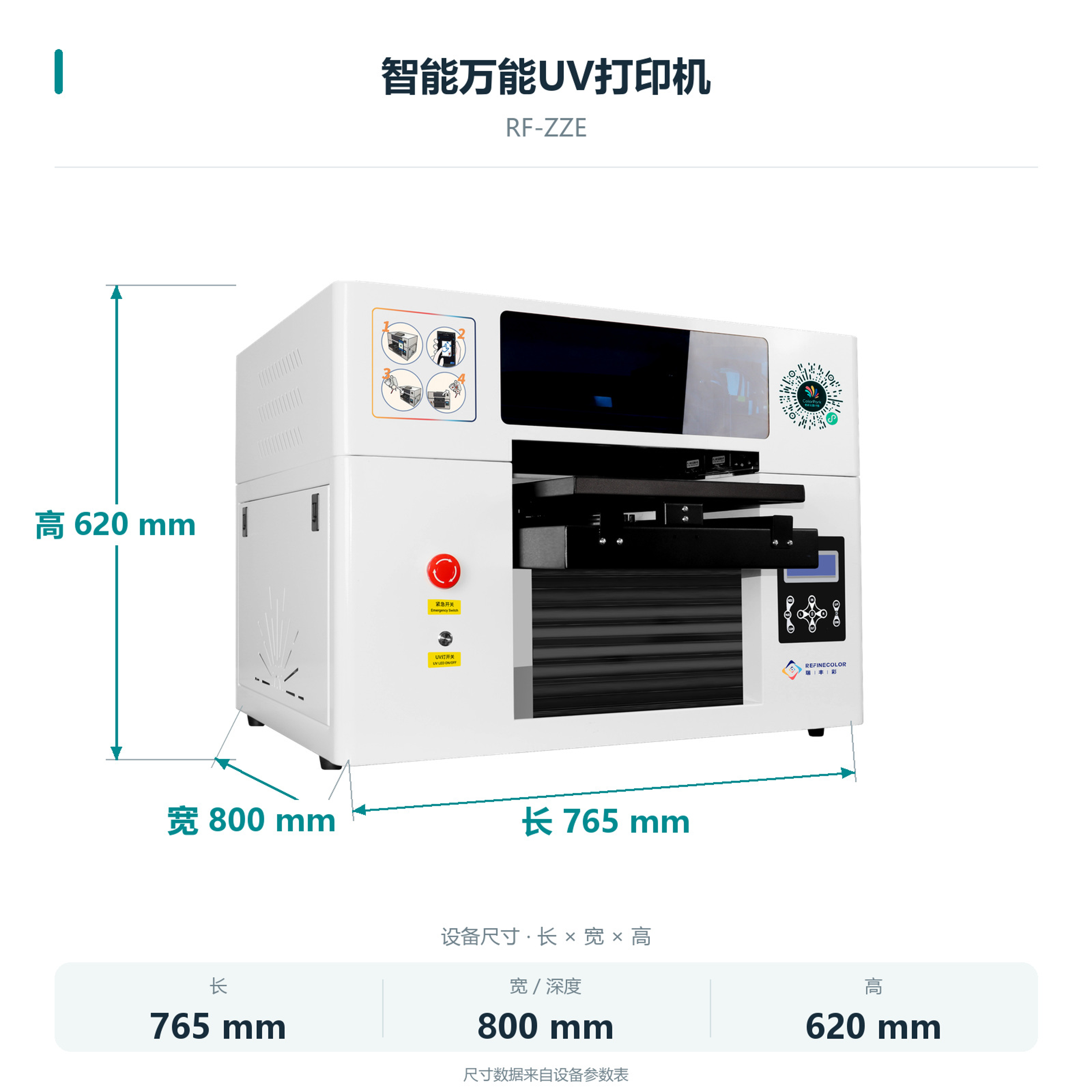
- 765×800×620 mm; 61 kg
- Printhead model
- EPSON-F1080
- Printhead count
- Single head
- Printhead maintenance
- Automatic / manual cleaning; remote cleaning supported
- Power supply
- AC 220 V / 110 V, 50–60 Hz
RF-ZZE · Phone cases, acrylic and nameplates
Measure and test first, then customize by phone.
This workflow uses optional mobile customization software. The canvas is the artwork design area; set and test its dimensions with actual items first.
01 / 07
Measure and test the item
Measure the print surface, then test item height, holding method and artwork placement.
RF-ZZE · Phone cases, acrylic and nameplates
How do phone orders reach the printer?
Choose the computer and mobile customization software for your needs. Staff load items, check orders, print and collect results.
Customize on a mobile webpage
Customers design, preview and create orders on a mobile webpage. Test artwork dimensions with actual items first.
Machine order client
Select the order on site, check placement and start printing.
RF-ZZE · Phone cases, acrylic and nameplates
Machine details
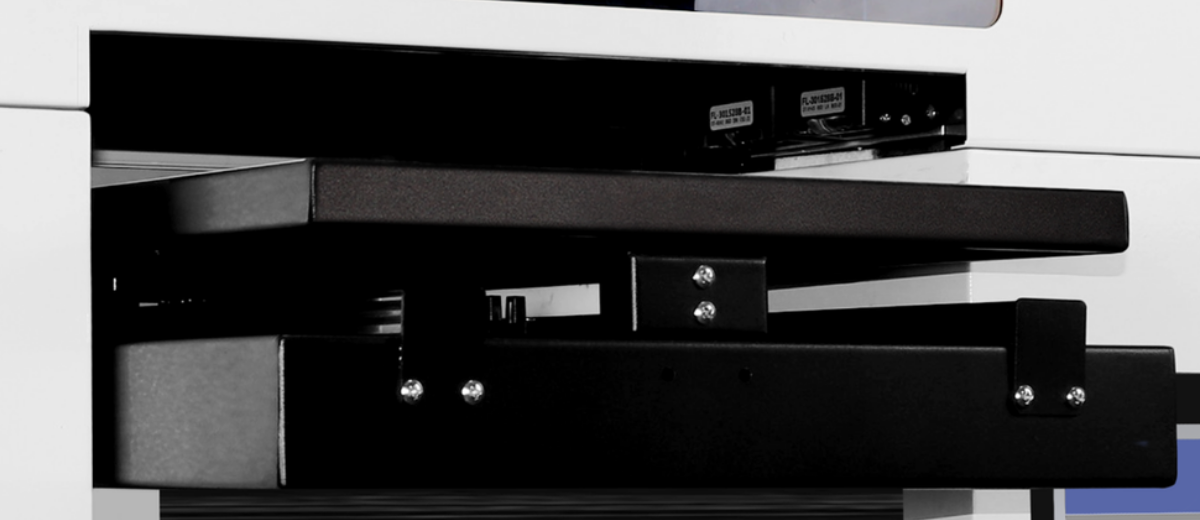
These machine-photo close-ups show the loading area and controls.
View full image ⤢Loading platform
Photo close-up. Use actual items to check the holding fixture and placement.
 View full image ⤢
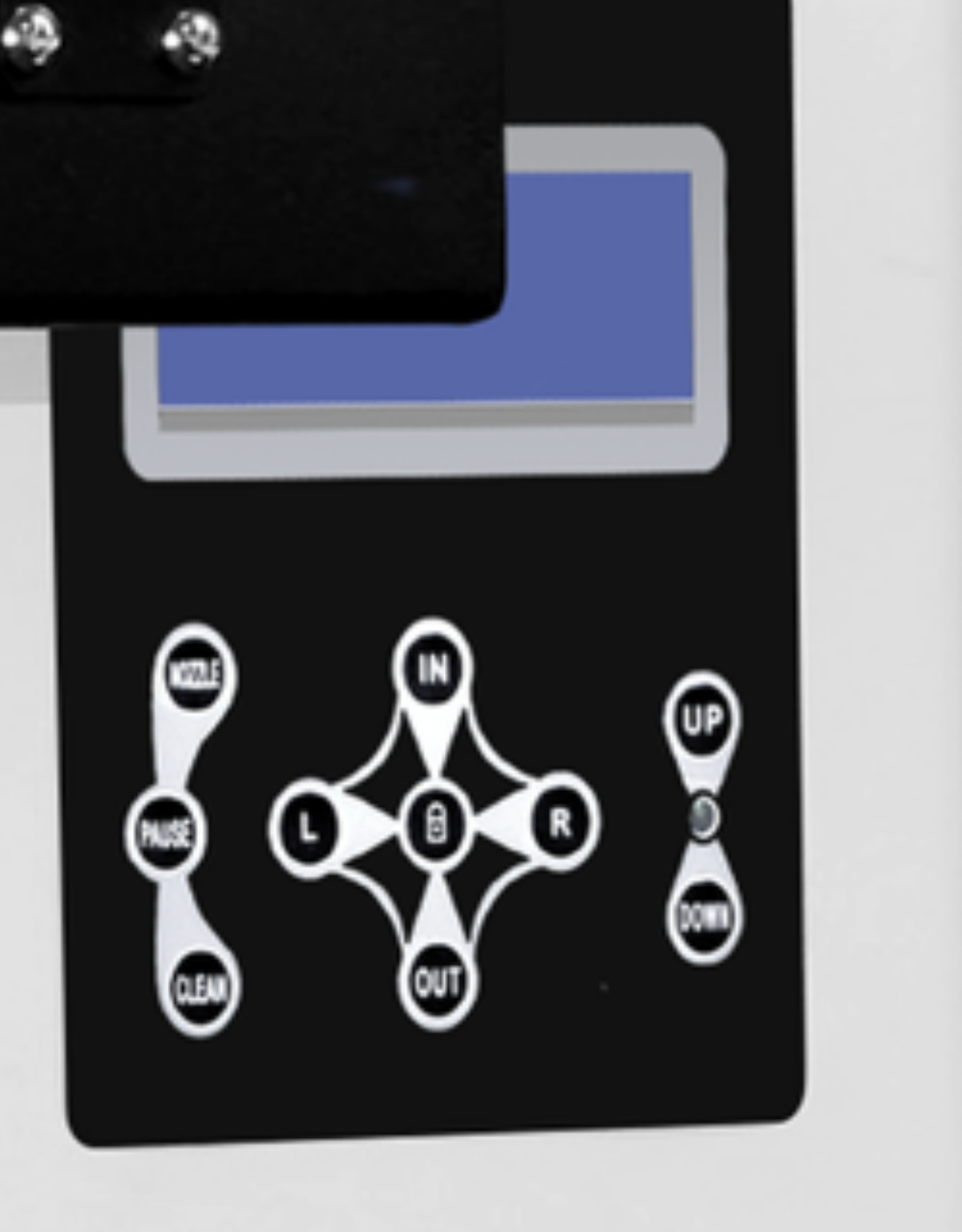
Machine control panel
Photo close-up. This is the machine control panel; the touch computer is optional.
 View full image ⤢
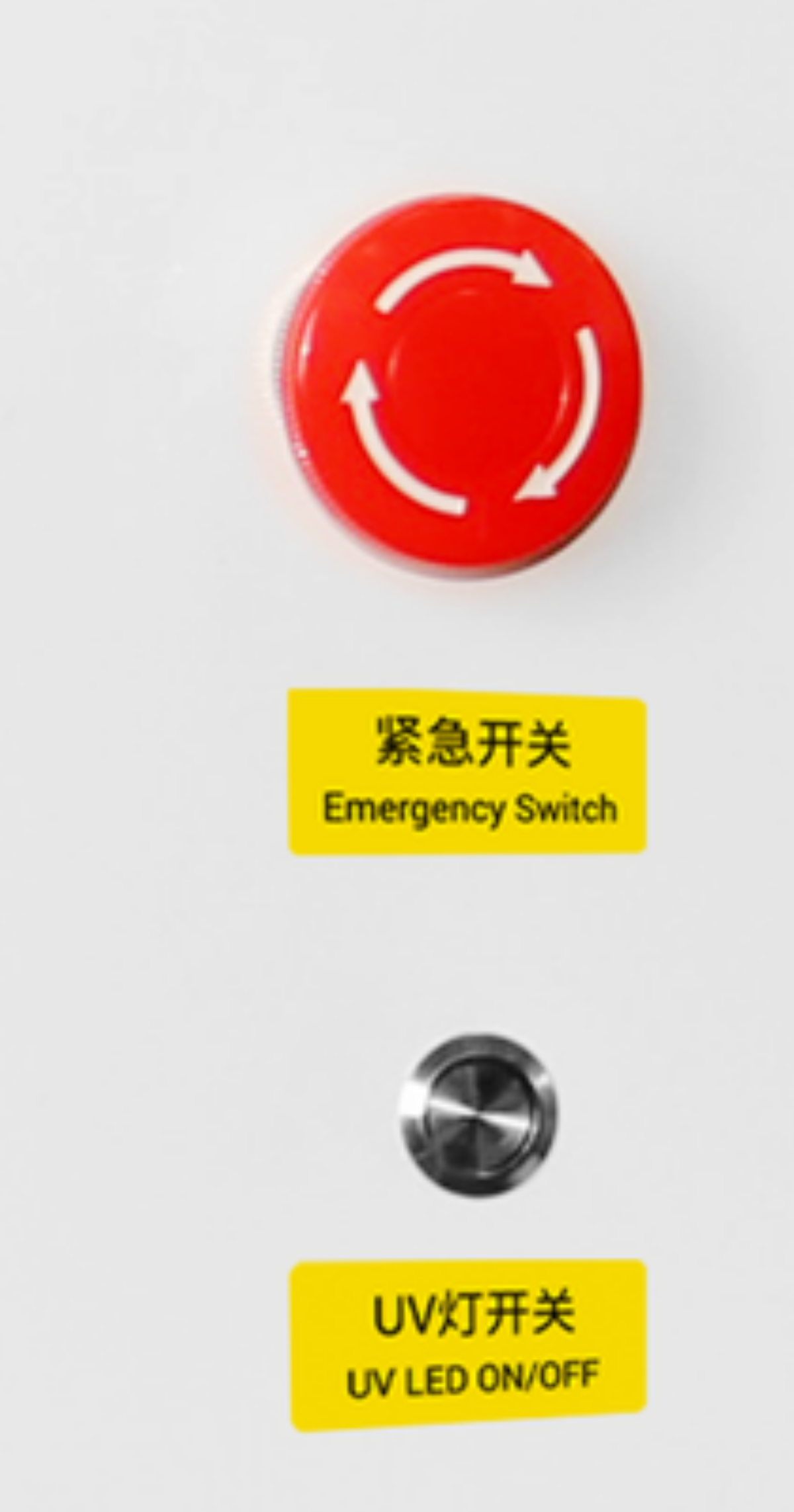
Machine switches
Photo close-up. Follow setup training for the emergency stop and UV-lamp switches.
RF-ZZE · Phone cases, acrylic and nameplates
Machine dimensions
 View full image ⤢
Machine dimensions
RF-ZZE · Phone cases, acrylic and nameplates
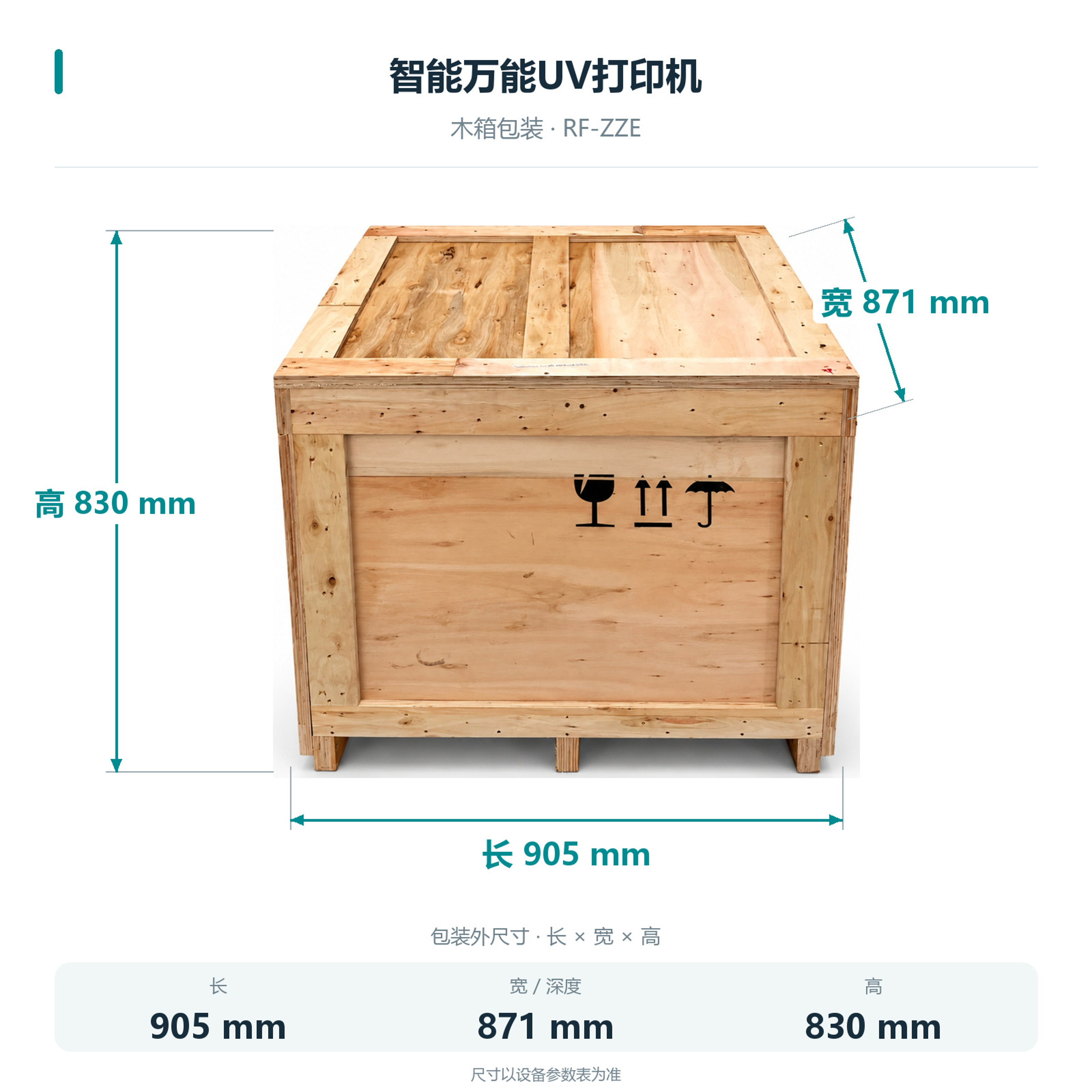
Packing dimensions
Wooden crate: 905×871×830 mm.
 View full image ⤢
Crate dimensions
RF-ZZE · Phone cases, acrylic and nameplates
Installation
The body is 765×800×620 mm and weighs 61 kg. Allow room for platform travel, the computer and maintenance.
Computer and network
Choose the computer setup. Cloud customization needs a working network.
Holding and platform
Vacuum platform optional. Choose fixtures and holding methods for the item.
On-site operation
Load manually, select the order, collect the item and follow maintenance training.
RF-ZZE · Phone cases, acrylic and nameplates
Maintenance
Follow technical training for head cleaning, nozzle checks and ink supply.
Cleaning and maintenance
Automatic and manual cleaning supported. Follow training.
Remote technical support
When connected, follow technical service guidance for remote cleaning and troubleshooting.
RF-ZZE · Phone cases, acrylic and nameplates
Free sample printing
Send item photos and artwork first. Agree on requirements before sending or bringing samples.
Free sample printing
Sample printing is free with no quantity limit. Customers cover shipping; charges for special materials and custom fixtures are confirmed after assessment.
Request free sample printing →Training and warranty details
Remote setup training is available. One-year warranty from receipt excludes printheads and consumables; customers cover warranty shipping.
View training and warranty →RF-ZZE · Phone cases, acrylic and nameplates
Training and warranty
Remote installation training is provided. Confirm on-site arrangements and fees with technical service.
One-year warranty
One year from receipt, excluding printheads and consumables. Customers cover warranty shipping.
On-site service
Customers cover service and travel costs. Technical service confirms the fees.