RF-SP1 · Food printer
Sugar-sheet printer and carver
Print on sugar sheets with food-grade ink, then carve with a blade.
Browse all equipment →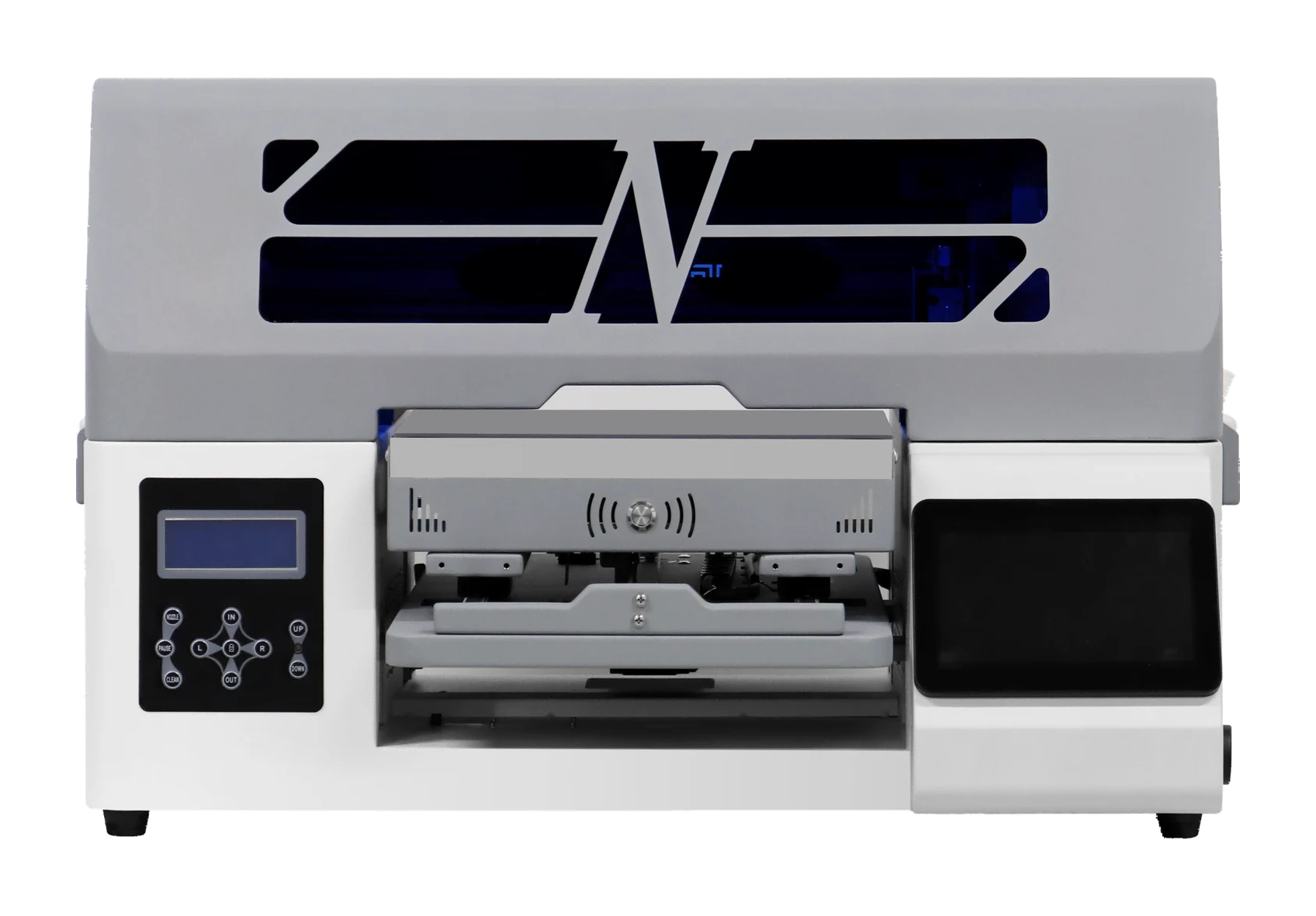
RF-SP1 · Food printer
What you can print
Print on sugar sheets
Make sugar-sheet designs; test the actual material first.
Blade carving
Carve the outline after printing.
Check materials
Check sugar-sheet thickness, dimensions and holding methods.
RF-SP1 · Food printer
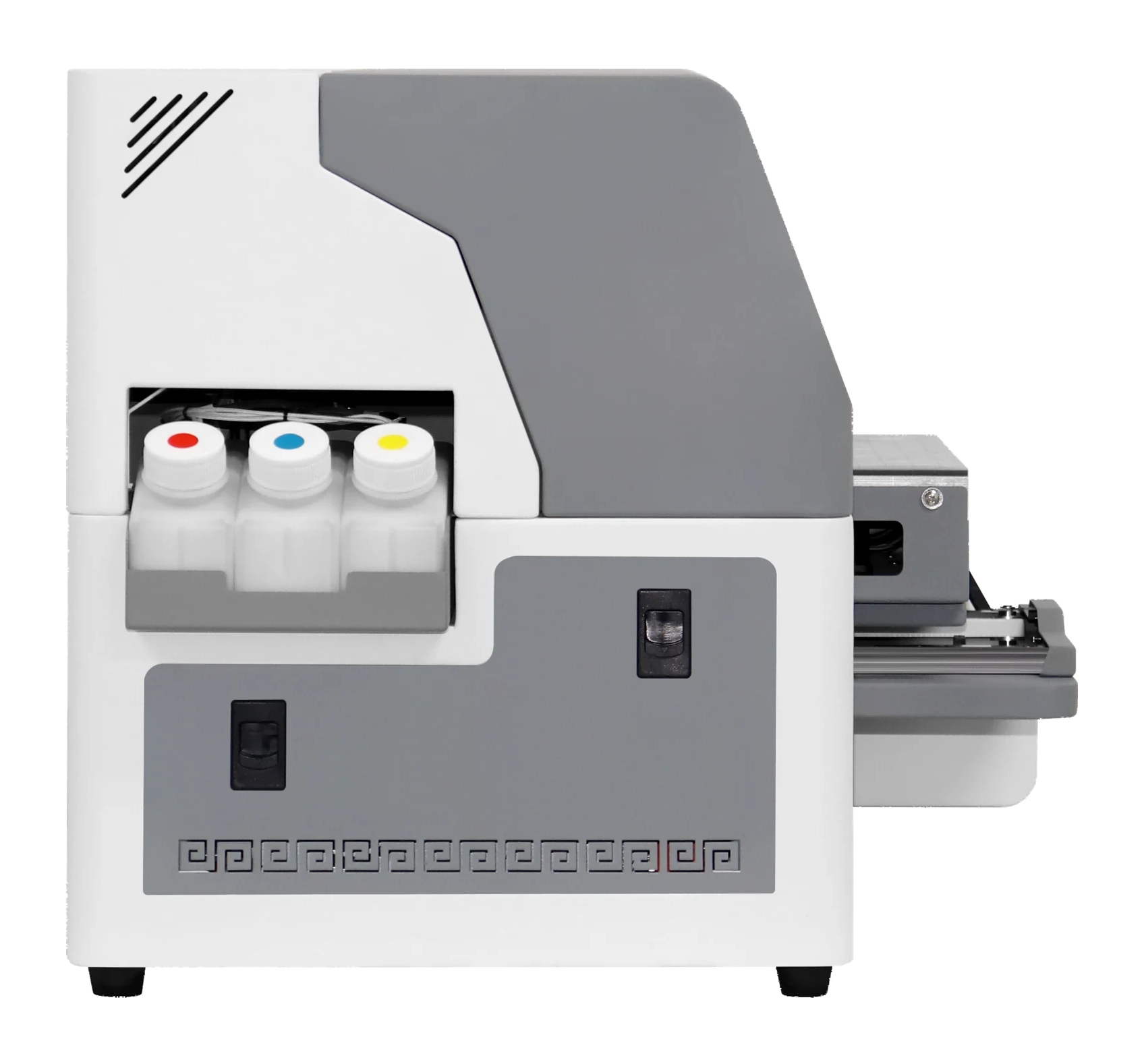
Machine views
 View image ⤢
Side view
Select a view above, or open the image to see more detail.
RF-SP1 · Food printer
Key specifications
- Print area
- 297 × 210 mm (A4)
- Ink
- Food-grade ink; CMYK color
- Net weight
- 58 kg
- Machine size
- 780×550×480 mm
- Processing
- Print sugar sheets, then carve with a blade
- Printhead model
- EPSON-F1080
- Printhead count
- Single head
- Printhead maintenance
- Automatic cleaning
RF-SP1 · Food printer
How do sugar sheets become printed decorations?
Print the design with four-color food-grade ink, then cut with a blade. Test actual sugar sheets to confirm results.
- 01
Prepare sugar sheets and artwork
Prepare actual sugar sheets and artwork. Check dimensions, thickness and how to hold the sheet.
- 02
Print the design
Load the sugar sheet, confirm artwork placement and print with food-grade ink.
- 03
Carve with a blade
After printing, use the blade to cut the agreed design.
- 04
Review the finished sample
Check artwork placement, cut outlines and the sugar sheet condition before agreeing production requirements.
RF-SP1 · Food printer
Machine details
 View full image ⤢
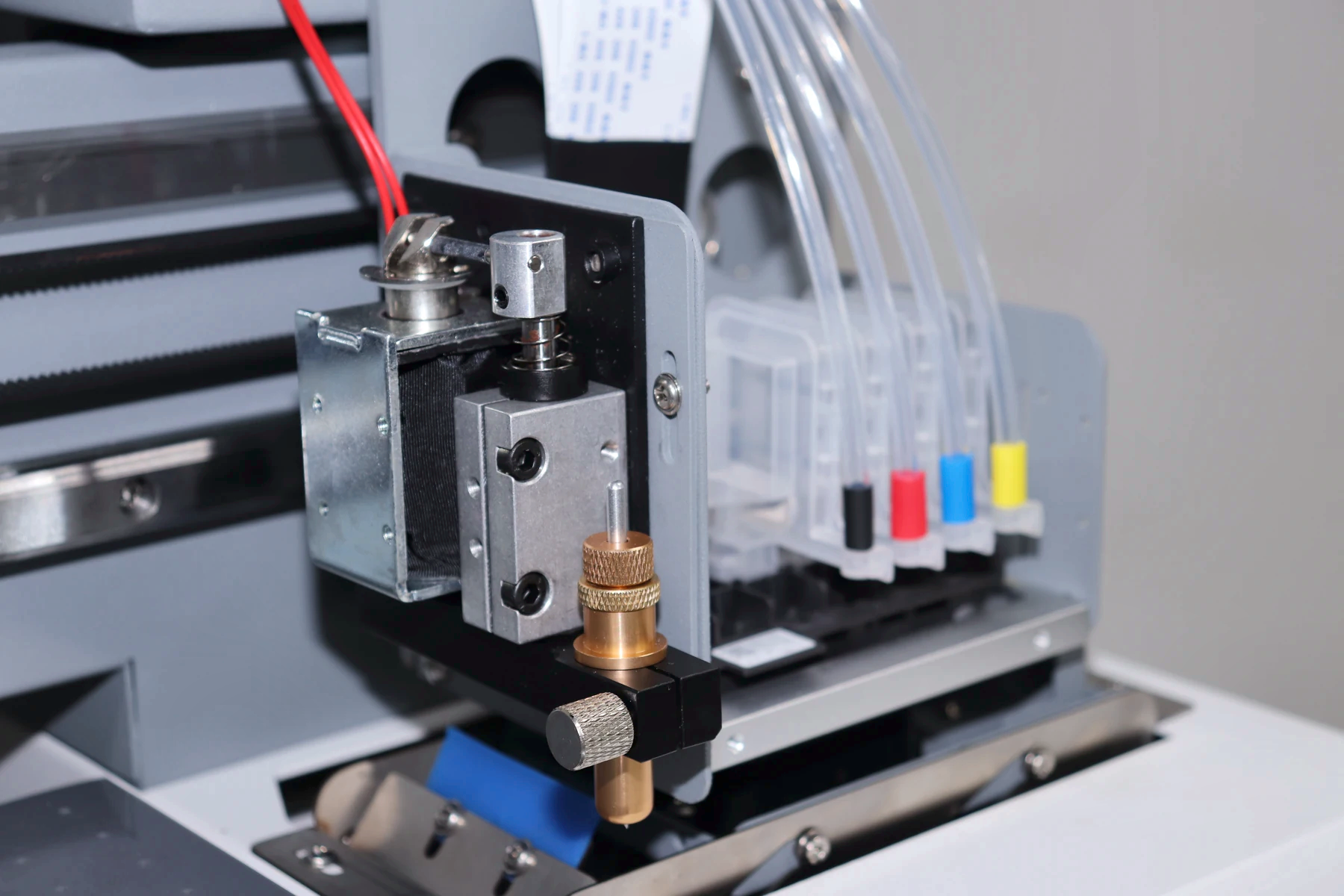
Printing and blade assembly
Print the artwork, then carve the sugar sheet with a blade.
 View full image ⤢
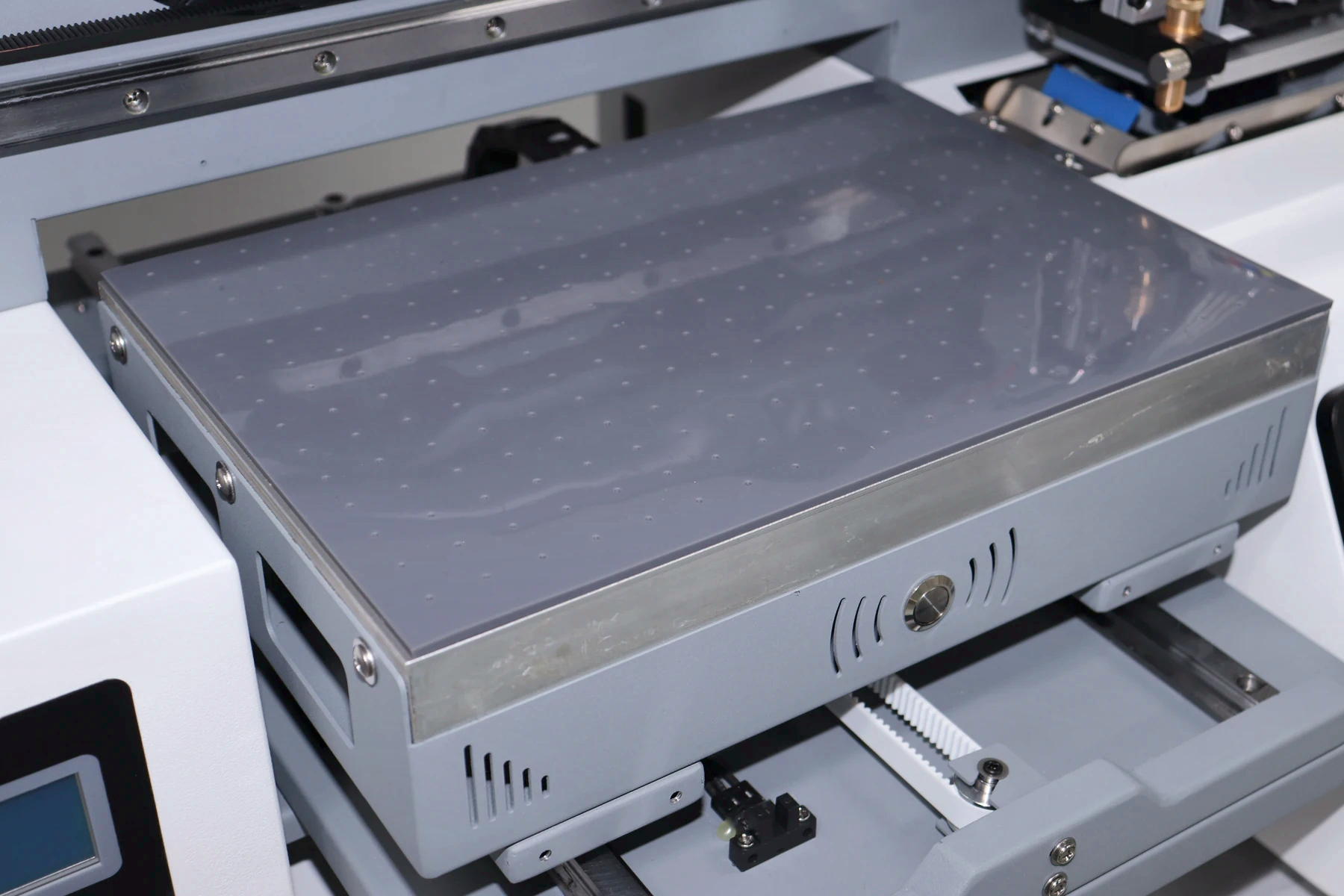
Loading platform
Confirm sugar-sheet dimensions, thickness and holding methods.
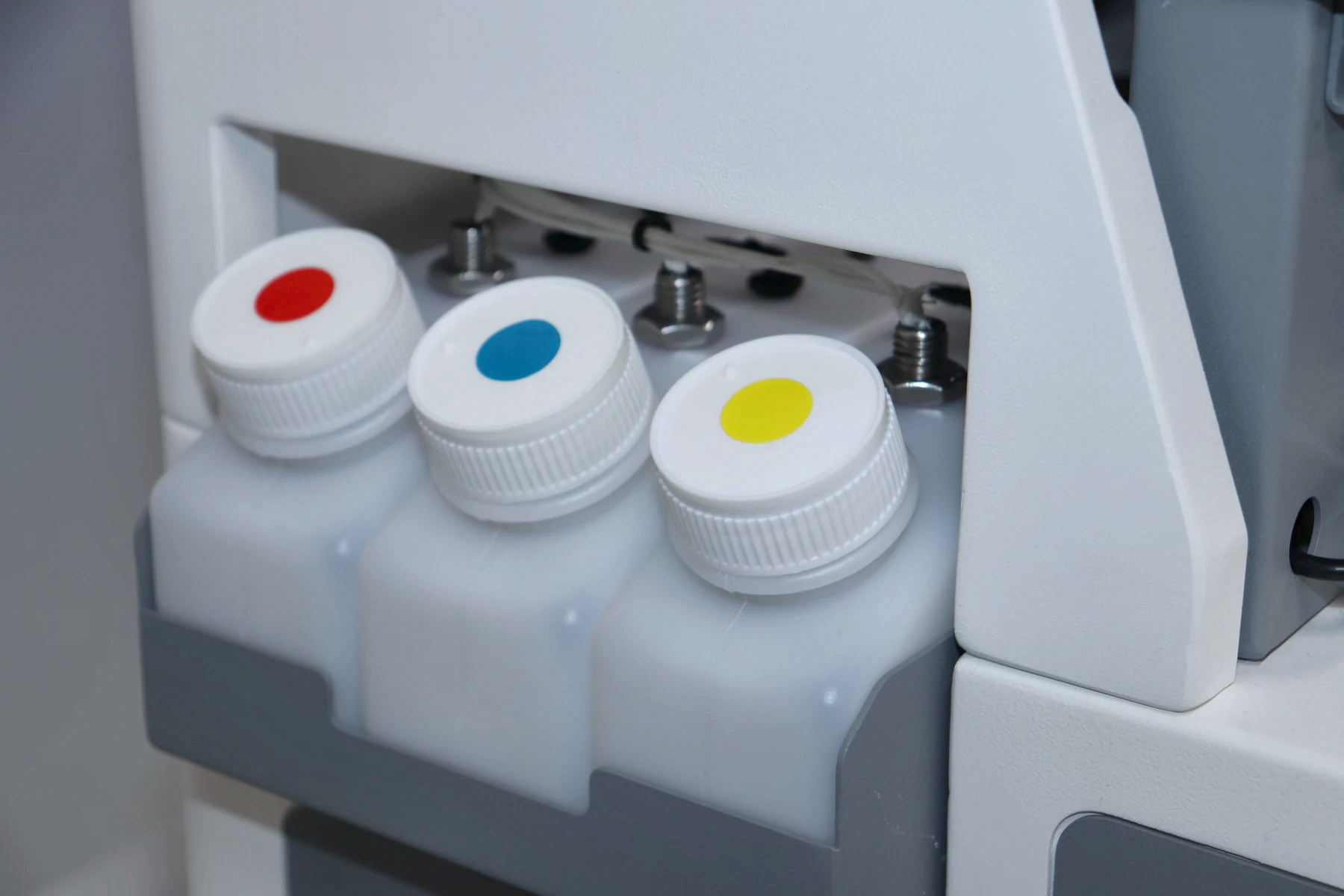 View full image ⤢
Ink bottle positions
Follow installation training for refilling and maintenance.
RF-SP1 · Food printer
Machine dimensions
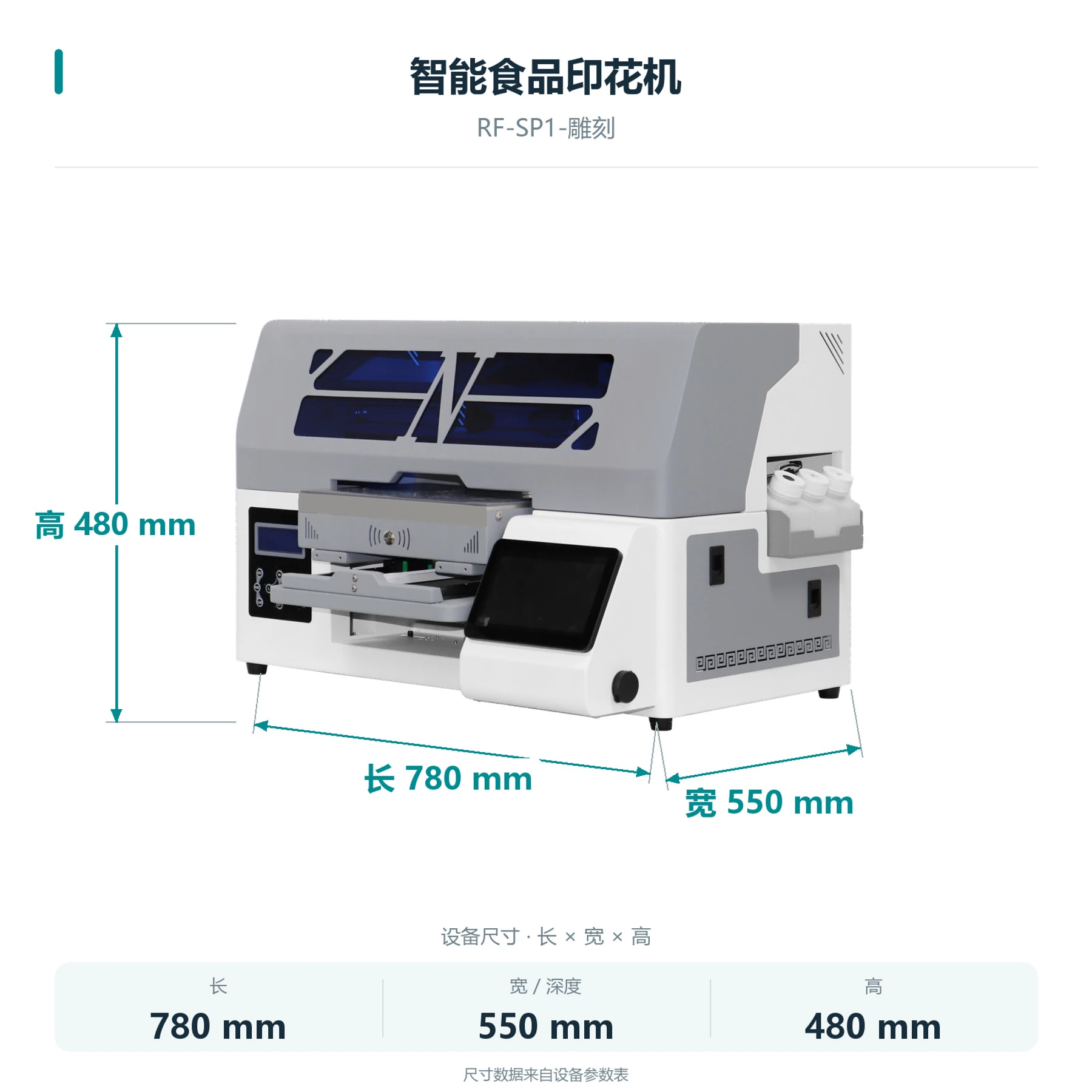 View full image ⤢
Machine dimensions
RF-SP1 · Food printer
Packing dimensions
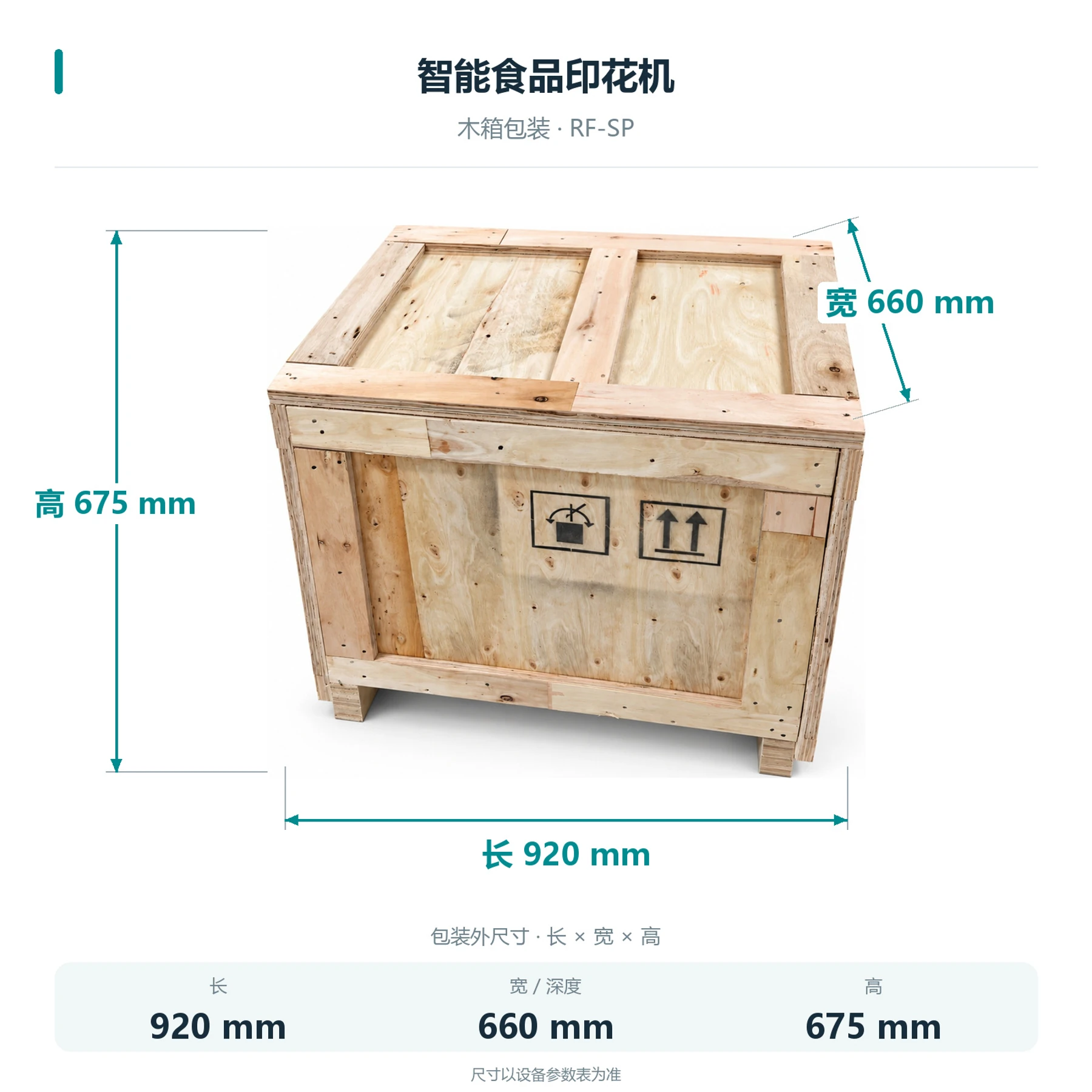 View full image ⤢
Shipping crate dimensions
RF-SP1 · Food printer
Free sample printing
Send item photos and artwork first. Agree on requirements before sending or bringing samples.
Free sample printing
Sample printing is free with no quantity limit. Customers cover shipping; charges for special materials and custom fixtures are confirmed after assessment.
Request free sample printing →Training and warranty details
Remote setup training is available. One-year warranty from receipt excludes printheads and consumables; customers cover warranty shipping.
View training and warranty →RF-SP1 · Food printer
Training and warranty
Equipment advice and quotation
Assess the application, items, workflow and space, then confirm configuration and pricing with technical service.
Installation and training
Remote installation training is provided. Contact technical support for on-site fees; customers cover service and travel.
One-year warranty
One year from receipt, excluding printheads and consumables. Customers cover warranty shipping.